A Migration Playbook for Teams Outgrowing Their No Code Automation Bill
Somewhere around the third month after a Make bill jumps from $29 to $299, most operations teams start asking the same question in a Slack thread: could we just run this ourselves?
It’s a reasonable thing to wonder, and the timing is rarely a coincidence. Make prices on operations consumed, and operations have a habit of multiplying quietly. A scenario that polls an inbox every two minutes, loops through line items in an order, and calls out to three different APIs per run can burn through a monthly allowance before anyone notices which single automation is responsible. By the time someone opens the billing dashboard to investigate, the team has usually already built forty or fifty scenarios that the business now depends on, which makes the whole thing feel harder to touch than it should.
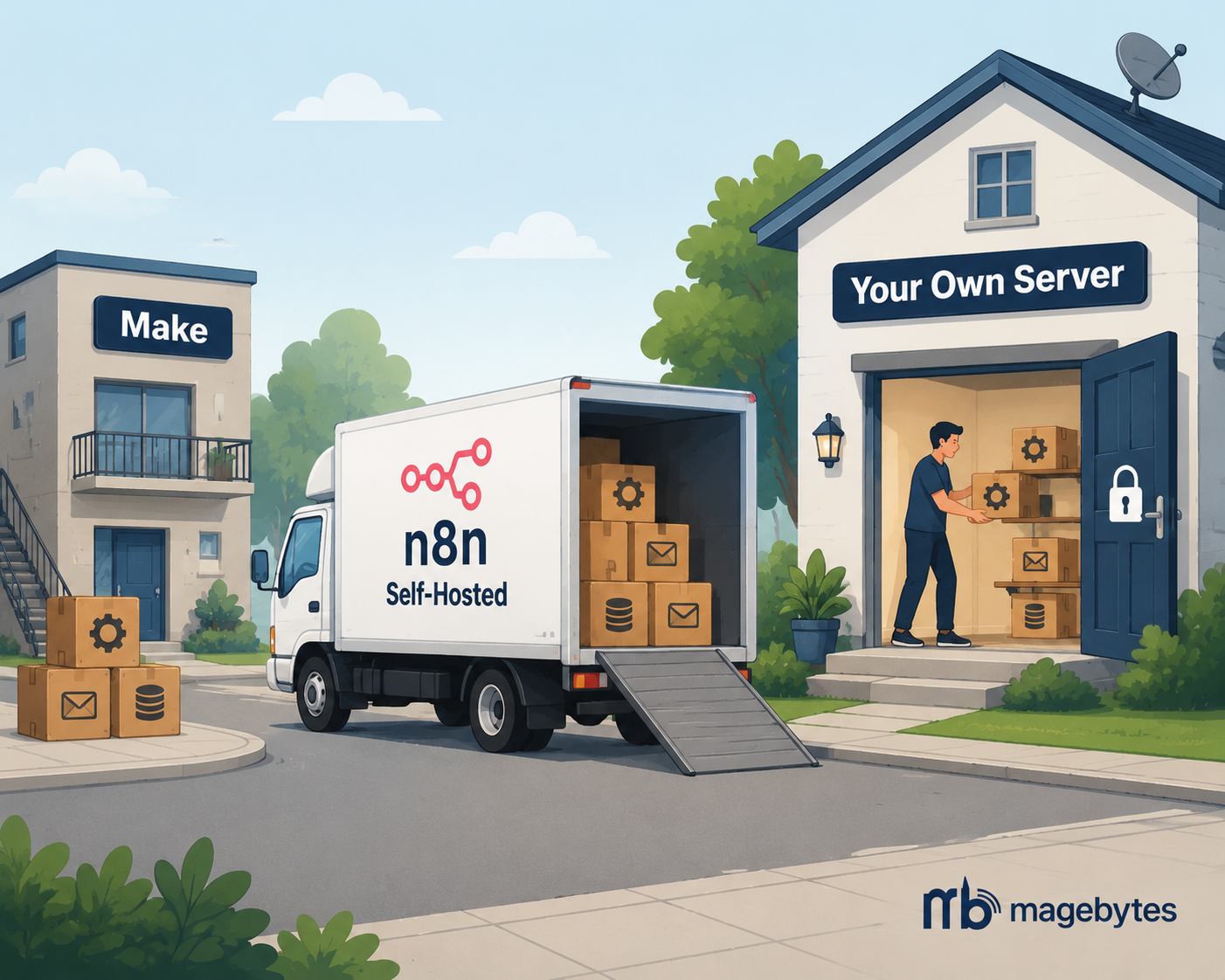
This is the point where teams start looking at n8n, specifically the self hosted version, not because the visual workflow builder concept has stopped working for them, but because the economics and the control model underneath it have started to matter more than the interface on top.
What follows is not a sales pitch for one platform over another. It’s the actual sequence we run through with clients moving off Make, including the parts that are genuinely annoying and the mistakes that cost people a weekend the first time they tried it without a plan.
Why This Migration Keeps Coming Up
Three separate reasons tend to show up in the first conversation, and it’s worth separating them because they point to different priorities during the migration itself.
The bill stops making sense
Make charges by operations, and once a business is running automations at real volume, that pricing model starts to punish exactly the workflows that matter most. A self hosted n8n instance has no per operation meter. You pay for the server it runs on. A workflow that fires ten thousand times a day costs the same to run as one that fires ten times, which is a very different cost curve once volume climbs.
Data has to stay somewhere specific
Some industries, and a growing number of enterprise procurement teams, simply will not sign off on customer or financial data passing through a third party cloud they don’t control, however good that vendor’s security posture is on paper. Self hosting n8n on infrastructure the business already owns, or a private cloud region it has picked, removes that conversation entirely. This shows up constantly in financial services, healthcare adjacent businesses, and any company selling into government or regulated procurement.
The team wants to extend beyond what the platform allows
Make is genuinely good at what it does inside its own walls. But there’s a ceiling on custom code execution, and community nodes, and the ability to run your own npm packages inside a workflow step. n8n’s self hosted version has no such ceiling, since you’re running the actual runtime. Teams that have started writing custom JavaScript functions inside their Make scenarios just to get around a missing integration are usually the ones who hit this wall first.
None of these three reasons is a criticism of Make as a product. It’s a genuinely well built tool for teams below a certain scale or with fairly standard integration needs. The migration conversation almost always starts once a business outgrows one of those three boundaries, not because the tool got worse.
Before Touching Anything: Audit What You Actually Have
The single biggest mistake we see teams make is opening n8n and starting to rebuild the first scenario they think of. That guarantees you rebuild your best documented, most obvious automation first, and leave the genuinely load bearing but half forgotten one for last, usually discovering it only when it silently breaks in production three weeks after cutover.
A proper audit, done before any rebuilding starts, answers four questions for every single scenario currently live in Make:
- What triggers it a webhook, a schedule, a form submission, an app based trigger like a new row in a spreadsheet?
- What does it actually touch which systems, which records, and does it write data or only read it?
- How often does it run, and what happens to the business if it goes down for an hour without anyone knowing?
- Does anything else depend on its output another scenario, a report, a dashboard, a person waiting on a Slack alert?
This usually surfaces two or three scenarios nobody remembers building, still running, still doing something the business quietly relies on. Finding those before migration, not after, is the difference between a controlled cutover and an outage that gets discovered by a customer instead of by your own team.
Mapping Make Concepts Onto n8n Where the Translation Isn’t 1 to 1
A lot of migration guides make this sound like a straight swap: Make module becomes n8n node, done. In practice, a handful of conceptual differences trip people up, and it’s worth knowing about them before you’re mid rebuild.
Bundles versus items
Make passes data between modules as a single bundle, and array handling inside a scenario is somewhat implicit. n8n is explicit about this: data moves as an array of items, and every node either processes all items in that array or is told specifically how to handle them (loop, batch, aggregate). The first time someone migrates a scenario that loops over order line items, this is usually where they get stuck, because the mental model of “one thing flowing through” has to become “a list of things flowing through, and I need to be explicit about how each node treats that list.”
Error handling philosophy
Make’s error handlers sit visually attached to a module, catching failures inline. n8n’s error handling is workflow level by default: you attach an Error Trigger workflow, or you branch explicitly using an IF node checking the output of a Try/Catch style construct. It’s not worse, it’s just a different place to look, and teams migrating a scenario with careful Make error handling logic need to rebuild that logic as its own explicit branch rather than expecting it to carry over automatically.
Webhooks and the URL problem
Every Make scenario triggered by a webhook has a Make hosted URL baked into whatever system calls it, a CRM, a payment provider, a form tool. Moving to n8n means every one of those needs to be re pointed to a new URL, and if the calling system caches or hardcodes that endpoint anywhere, this becomes the part of the migration most likely to cause a quiet outage if it’s rushed. This step alone is worth a dedicated checklist, not a Friday afternoon global find and replace.
Native app connectors versus generic HTTP
Make has deep native modules for a huge number of SaaS apps, often exposing app specific fields as clean dropdowns. n8n has strong native node coverage too, but for some smaller or more niche tools, the equivalent may be a generic HTTP Request node calling that app’s REST API directly. This isn’t a downgrade in capability, arguably it’s more flexible since you’re not limited to what the connector author exposed, but it does mean reading that app’s API documentation rather than picking a field from a list, which changes the skill profile the migration needs.
The scenarios that look simplest in Make are rarely the ones that cause problems. It’s the ones with a quiet error handler nobody remembers writing.
The Self Hosting Decisions That Actually Matter
“Self hosted” covers a wide range of setups, from a single Docker container on a small VPS to a fully queued, horizontally scaled deployment behind a load balancer. Getting this right up front avoids a second, smaller migration six months later.
Pick your execution mode deliberately
n8n’s default single instance mode is fine for low to moderate volume. Once a business is running enough concurrent workflows that execution queuing starts to matter, queue mode, backed by Redis and one or more separate worker processes, becomes the right architecture. Deciding this at the start, rather than retrofitting it under load, saves a genuinely painful weekend later.
Database choice is not cosmetic
The default SQLite setup is fine for evaluation and small deployments. Any production deployment carrying real business workflows should move to PostgreSQL from day one. It handles concurrent writes properly, backs up cleanly, and avoids the locking issues SQLite runs into once execution history starts accumulating.
Credentials need a real secrets strategy
Make handles credential storage invisibly, behind its own vault. Self hosting means that responsibility moves to you. n8n supports external secrets managers, and it’s worth wiring one in, rather than relying solely on the built in encrypted credential store, particularly for anything touching payment providers or customer data.
Backups, monitoring, and who gets paged
This is the part that’s easy to skip during the excitement of a successful cutover and expensive to regret later. Automated database backups, workflow execution alerting (so a silently failing critical workflow gets noticed within minutes, not days), and a clear answer to “who gets paged if the n8n instance itself goes down” all need to exist before the old Make scenarios get switched off, not after.
Self hosting trades a subscription fee for a small amount of ongoing infrastructure ownership. That trade is almost always worth it at scale, but it is a real trade, not a free upgrade. Budget the equivalent of a part time DevOps responsibility into the decision, even if that responsibility is shared across an existing team rather than a new hire.
A Cutover Sequence That Doesn’t Rely on Luck
Here is the order that has caused us the fewest 2am phone calls across the migrations we’ve run:
- Run the full audit described above and rank every scenario by business impact and complexity, not by how interesting it is to rebuild.
- Rebuild the lowest impact, lowest complexity scenarios first in n8n, running in parallel with the live Make version, output disabled or pointed at a test environment.
- Compare outputs between the Make and n8n versions of the same scenario over at least a few real trigger cycles, not a single manual test run.
- Cut over one scenario at a time, starting with the lowest risk ones, watching execution logs closely for the first 48 hours after each cutover.
- Re point webhook URLs deliberately and one at a time, confirming the calling system has picked up the new endpoint before decommissioning the old one.
- Keep the Make scenario paused, not deleted, for at least two full business cycles after cutover, so there’s an instant rollback if something surfaces late.
- Only cancel the Make subscription once every migrated scenario has run cleanly through at least one full peak load period, whatever that looks like for your business — month end, a sales campaign, a seasonal spike.
The temptation is always to move faster than this, especially once the first two or three scenarios go smoothly and the team gets confident. Resisting that temptation on the scenario nobody fully understands anymore is usually where the whole migration is won or lost.
What Teams Usually Underestimate
Two things surprise almost every team we’ve worked with on this, and it’s worth naming them directly rather than letting people discover them mid project.
The first is how much institutional knowledge lives inside a Make scenario’s naming and layout rather than anywhere written down. A module named “Update CRM (do not touch, breaks reporting)” is doing real communication work that a clean n8n rebuild can accidentally erase if the person rebuilding it doesn’t ask why that note was there in the first place. Talking to whoever built the original scenario, even a scenario that looks abandoned, is worth the twenty minute conversation every time.
The second is that a straight lift and shift rebuild, where every Make module becomes the nearest equivalent n8n node with no other changes, leaves value on the table. Once a scenario is being rebuilt from scratch anyway, it’s usually the right moment to fix the parts that were always slightly wrong, tighten error handling, add a proper retry policy, or connect a system that Make’s connector never quite supported cleanly. Teams that treat the migration purely as a lift and shift tend to reproduce Make’s limitations inside n8n and wonder why the switch didn’t feel like the upgrade they expected. For businesses running Odoo ERP or Salesforce alongside their automation layer, this is often the point where a genuinely better integration finally becomes possible, not just a cheaper version of the same one.
The Short Version
Moving from Make to self hosted n8n is a good decision for a specific, identifiable set of businesses: ones running high enough automation volume that per operation pricing has become the wrong model, ones with data residency requirements a third party cloud can’t satisfy, or ones that have started hitting the edges of what a managed platform’s connectors and code limits allow.
It is not, in itself, a hard migration. It becomes a hard migration when it’s rushed, when the audit step gets skipped, or when a team assumes the concepts map one to one and finds out otherwise halfway through a webhook cutover on a Friday evening.
Done properly, with the scenario audit first and a staged cutover second, it’s one of the more reliably successful migrations we run, and it’s one we’ve done often enough to know exactly where the sharp edges usually are.
If you’re weighing this move, or you’ve already started and hit one of the translation problems above, the MageBytes team handles this migration end to end, from the initial scenario audit through to a fully self hosted, queue mode n8n deployment with proper monitoring in place.
Outgrowing Make’s Pricing or Its Limits? MageBytes audits your existing scenarios and migrates them to a properly configured, self hosted n8n deployment. Talk to us.