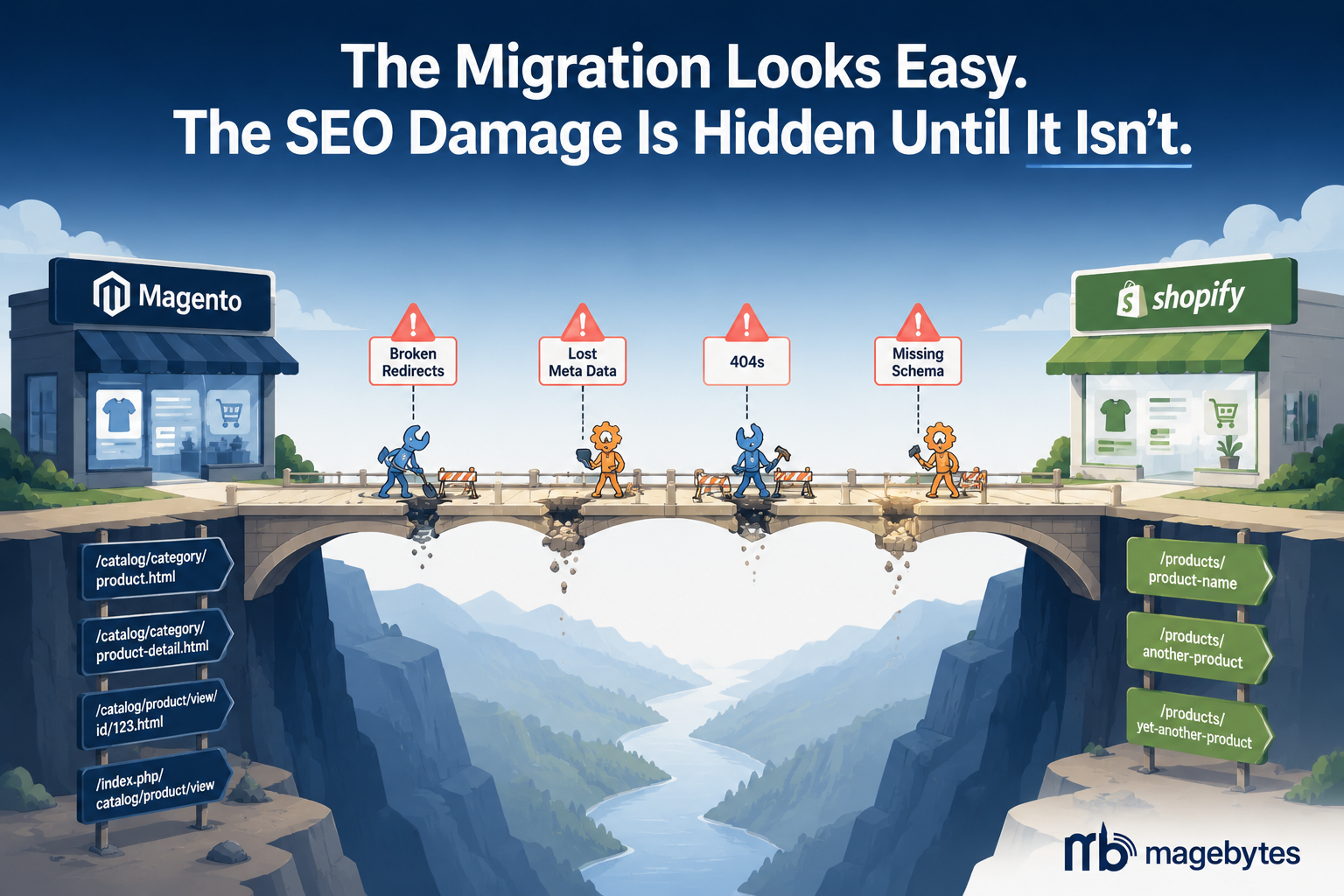
A client came to us six months into a self-managed Magento to Shopify migration. The store was live. It looked great. The Shopify theme was clean, fast, and mobile-friendly in a way their old Magento store never managed. But organic traffic was down 43 percent from where it had been three months before go-live. The product pages that had ranked on the first page of Google for three years were nowhere to be found. The category pages were returning 404 errors.
Nobody had built a redirect map.
The developer who handled the migration had moved product data across correctly, configured the theme, and launched on schedule. The SEO side of the project had been treated as something to sort out after launch. That assumption cost the business four months of recovery work, a full technical SEO audit, and a very uncomfortable conversation about revenue impact.
This story is common. Embarrassingly common.
Brands leave Magento in 2026 for real, justifiable reasons. Adobe’s acquisition slowed platform development noticeably. The developer talent pool for Magento has shrunk as the platform aged. Self-hosting costs keep rising. And Shopify’s feature parity now covers the majority of what Magento offered at a fraction of the total cost of ownership. Post-migration, most brands see a 2 to 4x reduction in three-year total cost and a meaningfully faster storefront. The business case is legitimate. But the SEO risks during migration are specific, well-documented, and almost entirely preventable if you know what to look for before you start. MageBytes has run Magento to Shopify migrations for clients across retail, fashion, B2B, and healthcare. This is the list of what actually breaks.
Why Migrations Lose Search Traffic in the First Place
The mechanism is not mysterious. Search engines like Google spend years building a model of your website: which pages exist, what they are about, how they link to each other, and how much authority they carry based on other sites referencing them. That model is tied to the specific URLs of your pages.
When you migrate from Magento to Shopify, almost every URL on your site changes. Magento product URLs typically look like this:
/catalog/category/product-name.html
/women/shoes/running-trainers.html
/category/subcategory/product.html
Shopify uses a fixed, flat URL structure:
/products/product-handle
/collections/collection-handle
/pages/about-us
Every single product page, every category page, every CMS page has a different URL after migration. Without a redirect telling Google that the old URL now lives at the new URL, Google treats the old page as deleted and the new page as brand new. The ranking history, the backlink authority, the years of organic equity built into that URL, none of it transfers automatically. It has to be mapped and redirected.
Industry practitioners estimate that 60 to 80 percent of migration SEO failures come from incomplete redirect maps or delayed 301 implementation. The redirect map is not an afterthought. It is the most important technical document in the entire migration project, and it needs to be built before a single line of code moves.
What Actually Breaks: The Specific List
1. URL Structure and Missing 301 Redirects
The URL structure difference between Magento and Shopify is the biggest single SEO risk in any migration. Category pages in Magento often rank at least as well as individual product pages, sometimes better, because they carry combined internal link authority from all the products beneath them. When /women/shoes/ becomes /collections/womens-shoes in Shopify and nobody creates a 301 redirect between the two, Google sees the Magento URL return a 404 error and marks that page as gone.
The 404 does not immediately destroy the ranking. Google gives a grace period before it removes a page from its index. But if the redirect is not in place within a few weeks of launch, the ranking erodes. It takes considerably longer to rebuild it than it took to lose it.
The redirect map needs to cover every indexed URL, not just the top ten product pages. Use Google Search Console to export every URL that has received clicks in the past 12 months. Crawl the live Magento site with Screaming Frog to capture URLs that have never received a click but are indexed. The long tail matters because those pages carry cumulative authority.
Build the redirect CSV. Upload it to Shopify before the DNS switch, not after. Shopify supports bulk redirect import through the admin under Online Store, then Navigation, then URL Redirects. Doing this after the DNS switch means there is a window during DNS propagation where Google bots hit your new Shopify store and find 404s on pages you meant to redirect. That window is the damage.
2. Configurable Products and the 100-Variant Limit
Magento’s configurable product structure and Shopify’s variant structure are not the same thing, and the difference catches teams off guard.
In Magento, a configurable product is a parent product with child simple products attached to it. Each child simple product has its own URL, its own SEO history, and potentially its own indexed page. A running shoe in ten sizes and five colours has 50 child products in Magento, each potentially with its own URL that Google has indexed. When you migrate to Shopify, the parent product has variants, not individual child products. Those 50 Magento child product URLs need individual redirects to the parent Shopify product URL with the appropriate variant selected. Teams frequently map the parent Magento URL to the Shopify product and miss every child SKU URL entirely.
There is also Shopify’s hard limit of 100 variants per product. Magento has no equivalent limit. A product with more than 100 size and colour combinations in Magento requires restructuring before migration. This is not optional. A product that exceeds 100 variants will not import correctly. The restructuring needs to happen in the migration plan, not after launch.
3. Meta Titles, Descriptions, and On-Page SEO Data
Product and category pages in Magento store meta titles and descriptions in specific database fields. Those fields do not automatically map to Shopify’s meta title and description fields during a standard migration. Automated migration tools like Cart2Cart and LitExtension carry product data across, but meta SEO fields are among the attributes most commonly lost or incorrectly mapped.
After migration, it is worth crawling the new Shopify store with Screaming Frog before launch to check that every product and collection page has the meta title and description populated correctly and that they match the original Magento values or better. Pages that launch without meta descriptions are not immediately penalised, but they perform noticeably less well in click-through rate from search results, which is a signal Google uses to re-evaluate ranking.
Alt text on product images is equally prone to being dropped during migration. Magento image alt text is stored per image in the product record. Shopify stores it per image in the product object. Many migration tools carry the images but not the alt text attributes. An audit of alt text completeness should be part of the pre-launch QA checklist.
4. Schema Markup and Structured Data
Magento stores, particularly those that have had SEO extensions installed over the years, often carry well-structured Product, BreadcrumbList, and Review schema on their product and category pages. Shopify’s default theme schema is less comprehensive. When a store migrates and launches on a new Shopify theme, the schema frequently degrades: review count is missing, breadcrumb structured data is absent, or Product schema fields like return policy and shipping information are not populated.
This matters for agentic commerce and for AI search visibility as much as for traditional search. Product schema with complete fields, price, availability, review score, return policy, shipping options, is what makes a product machine-readable to both search engines and AI shopping agents evaluating products programmatically. A Shopify store that launches without complete Product schema is less visible to AI-mediated product discovery than one that carries the full structured data set.
5. Internal Link Structure and Layered Navigation
Magento’s layered navigation, particularly with extensions like Improved Layered Navigation, creates filterable category pages with their own URLs. A shopper browsing /women/shoes/ and filtering by brand creates a URL like /women/shoes/?brand=nike that Google may have indexed as a separate page. These filter URLs do not exist in Shopify’s URL structure at all. They cannot be redirected to an equivalent Shopify URL because Shopify does not generate the same type of filterable URL.
For stores where filter pages carry meaningful organic traffic, this is a genuine traffic loss that cannot be fully mitigated through redirects. The best approach is to identify which filter pages receive real organic traffic in Google Search Console before migration, understand that traffic will not survive the migration in the same form, and plan the content strategy on the Shopify side to rebuild rankings for those specific filtered-category queries over time.
Internal link structure also changes because Shopify’s URL structure is flat. A Magento store might have deeply nested category URLs that served as internal link signals for subcategories and products. Shopify’s collections are one level deep. The internal linking hierarchy needs to be deliberately rebuilt in the Shopify theme using the navigation structure, breadcrumbs, and related products sections.
6. Page Builder Content and CMS Pages
This one catches teams that have invested heavily in content marketing on the Magento side. Magento 2.4’s Page Builder stores CMS content as XML tags in the database. When that content is exported and imported into Shopify, the Page Builder XML tags import as raw XML strings that Shopify cannot render. The page shows up on the Shopify side but the content is empty or broken.
Any CMS page that has meaningful organic traffic, landing pages, category content blocks, blog posts, needs to be manually rebuilt in Shopify’s theme editor or in a headless CMS if the store is going headless. This is not a quick task for a large content library and needs to be scoped honestly in the migration timeline. Teams that discover this the week before launch end up either delaying the go-live or launching with broken content pages that Google immediately recrawls and finds empty.
7. Customer Password Hashes
This is not an SEO issue directly, but it affects the post-launch experience enough to deserve inclusion. Magento stores password hashes using an algorithm that Shopify does not support. There is no way to migrate customer passwords. Every existing customer will need to reset their password after migration. This is not optional and cannot be worked around.
Build the password reset email sequence before launch day and trigger it immediately when DNS switches. A customer who cannot log in to check their order history, access their loyalty points, or complete a saved cart will contact support, leave a negative review, or simply not return. The password reset flow is operational work with brand relationship consequences.
The Protection Plan: What to Do Before Launch Day
Start with your SEO baseline
Before anything moves, export your complete SEO picture from Google Search Console. Total impressions, total clicks, position by page, and position by query for the past 12 months. This is your baseline. Every decision in the migration should be evaluated against this baseline. If a page receives 400 organic visits per month, it is on your protect list. If it receives 3, it is not.
Export your backlink profile from Ahrefs or SEMrush. Any page that has five or more external sites linking to it is a page you cannot afford to 404. Those backlinks are ranking signals that took years to accumulate. A 301 redirect preserves roughly 90 percent of link equity. A 404 preserves none of it.
Build the redirect map as a first project deliverable
The redirect map is not a task to complete before launch. It is a deliverable to complete before development begins. Here is the practical sequence:
- Crawl your live Magento store with Screaming Frog and export every URL that returns a 200 status.
- Cross-reference with Google Search Console to identify which of those URLs receive organic traffic.
- Cross-reference with your backlink data to identify which URLs have external links.
- Map every URL on the protect list to its Shopify equivalent before the Shopify build begins, so the Shopify URL slugs can be set with the mapping in mind.
- For configurable product variants in Magento, map each child product URL to the parent Shopify product URL with the variant parameter.
- For filter pages with organic traffic, note them separately for a content rebuilding plan.
Once the map is complete, format it as a Shopify-compatible redirect CSV (from path, to path) and upload it to Shopify before the DNS switch. Verify it is live by testing a sample of redirects immediately after upload.
Preserve meta SEO data during data migration
When choosing your data migration approach, whether manual CSV, a migration app, or a full-service migration managed by an agency, confirm explicitly that meta titles, meta descriptions, and image alt text are included in the migration scope. Run a post-migration audit before launch using Screaming Frog against the Shopify staging environment. Flag every product and collection page missing meta data and complete it before go-live, not after.
Run a 48-hour delta sync before go-live
Between the start of your migration and the DNS switch, your Magento store keeps receiving orders and new customer registrations. A delta sync in the 48 hours before launch captures this final batch of records and prevents missing-order complaints in the days after launch. This step is often skipped and it generates a disproportionate volume of post-launch customer service issues.
Monitor crawl data for the first four weeks
Set up Google Search Console for the new Shopify domain immediately after DNS propagation. Submit the new sitemap. Check crawl errors daily for the first two weeks and fix any 404s that appear within 24 hours of discovery. Google typically recrawls a site within days of a major structural change. The first four weeks of post-launch crawl data will reveal any redirect gaps that the pre-launch audit missed.
Set up a rank tracking project in your SEO platform covering your top 50 organic queries before migration. Track daily for the first month. Ranking movement in this window is the clearest signal of whether the SEO protection work succeeded or whether there are gaps still to address. MageBytes provides post-migration SEO monitoring as part of our migration service for clients who want continued visibility into how the new store is performing against the baseline.
Realistic Expectations After Migration
Even a perfectly executed Magento to Shopify migration produces some temporary ranking movement. Google needs time to recrawl, reprocess, and re-evaluate the new site structure. A period of three to eight weeks of ranking fluctuation is normal and expected even when every redirect is in place. The question is not whether there will be movement, but whether the movement recovers within a reasonable timeframe.
Stores that have complete redirect maps, full meta data preservation, and correct structured data typically recover to within 5 to 10 percent of their pre-migration organic traffic within six to eight weeks. Stores with incomplete redirects or missing meta data see deeper drops and take considerably longer to recover, sometimes three to six months, sometimes not fully without significant additional work.
The stores that outperform their pre-migration baseline within 90 days are the ones where the Shopify build delivered genuine performance improvements: faster page load times, better mobile Core Web Vitals, cleaner site structure. A properly built Shopify store on a modern theme with Hyvä-level frontend performance standards typically loads product pages faster than the equivalent Magento store, and Google’s Core Web Vitals signal rewards that. The SEO protection work prevents the loss. The performance improvement creates the gain.
The most expensive migration mistake is not the broken redirects. It is the ones you do not discover until three months after launch when the revenue impact has accumulated. Pre-launch audits catch the systematic gaps. A properly scoped and executed migration, with SEO treated as a parallel workstream rather than a post-launch task, makes the difference between a migration that costs the business money and one that delivers the commercial improvement it was supposed to deliver.
If You Are Planning a Migration Right Now
The business case for moving off Magento in 2026 is strong. Lower total cost of ownership, faster platform development cycle, better app ecosystem, more accessible developer talent. None of that changes.
What changes is the timeline. The SEO protection work described in this blog, the redirect map, the delta sync, the meta data audit, the structured data verification, adds time to the project. Not a lot, if it is scoped properly at the start. A lot, if it is treated as an afterthought. The client at the start of this blog lost four months of recovery time because SEO was not in the original project scope. That recovery time cost more than the SEO work would have.
MageBytes handles Magento to Shopify migrations as a managed end-to-end project that includes the SEO workstream from day one, not as a late-stage checkbox. If you are evaluating a migration and want to understand the scope, the timeline, and what the SEO protection work actually involves for your specific catalogue and traffic profile, start the conversation here. We will give you a straight assessment before any project scope is agreed.
Planning a Magento to Shopify Migration? MageBytes runs Magento to Shopify migrations with SEO protection built into the project scope from day one. Not an afterthought. Talk to our migration team.