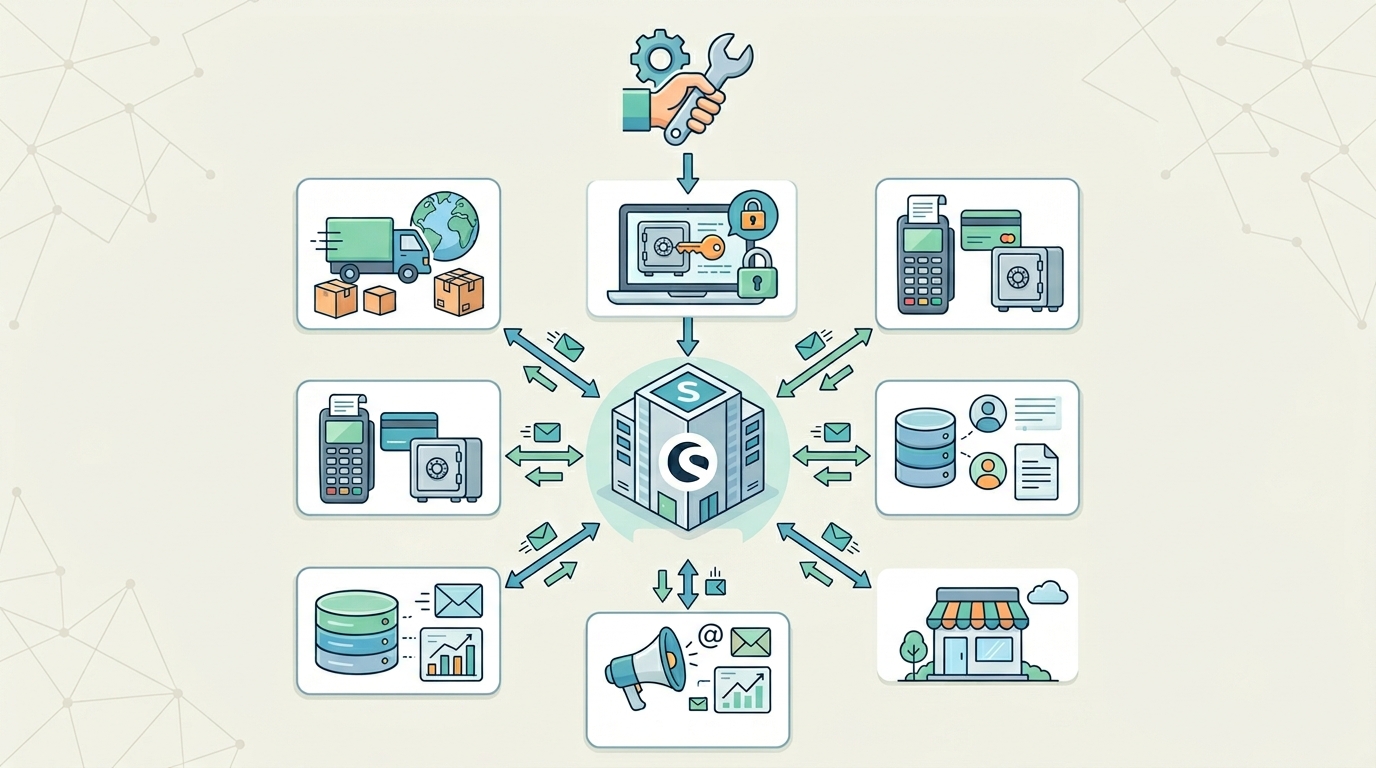
In today’s fast-growing eCommerce world, businesses need smart automation and seamless connectivity. One of the most powerful ways to achieve this is through Shopware API integration. It helps online stores connect with external systems like payment gateways, CRMs, and shipping services.
If you are a beginner, this guide will help you understand how Shopware API integration works, why it is important, and how you can use it to improve your online store performance.
What is Shopware API Integration?
Shopware API integration is the process of connecting your Shopware store with other applications using APIs (Application Programming Interfaces). These APIs allow different systems to communicate and share data automatically.
For example, when a customer places an order, the system can automatically update inventory, notify the shipping provider, and send confirmation emails—all through API connections.
This makes Shopware REST API integration a powerful tool for modern eCommerce businesses.
Why is Shopware API Integration Important?
Using Shopware eCommerce API integration helps businesses save time and reduce manual work. In 2026, automation is no longer optional—it is necessary.
Key benefits include:
- Automating order and inventory management
- Improving customer experience with real-time updates
- Reducing human errors in data handling
- Connecting multiple business tools easily
Many businesses now use Shopware API integration services to scale their operations efficiently.
How Shopware API Works
The Shopware platform provides a REST-based API system. This means it uses standard HTTP methods like GET, POST, PUT, and DELETE to send and receive data.
With Shopware 6 API integration, developers can easily connect external systems such as ERP software, CRM tools, and analytics platforms.
For example:
- Product data can be synced automatically
- Orders can be updated in real time
- Customer information can be shared across systems
This improves speed, accuracy, and automation in your business.
Step-by-Step Shopware API Integration Guide
If you are new, follow this simple Shopware API tutorial for beginners:
Step 1: Get API Credentials
Log in to your Shopware admin panel and generate API access keys.
Step 2: Read Shopware API Documentation
Understand available endpoints from the official documentation.
Step 3: Choose Integration Method
Decide between custom development or plugins.
Step 4: Test API Requests
Use tools like Postman to check API responses.
Step 5: Implement Integration
Connect your store with systems like CRM, payment gateways, or shipping tools.
Step 6: Monitor Performance
Ensure everything runs smoothly and fix errors if needed.
Common Use Cases of Shopware API Integration
Shopware API integration guide is useful for many business operations:
- Payment gateway integration
- CRM and customer data syncing
- Inventory and stock management
- Shipping and logistics tracking
- Marketing automation tools
These integrations help businesses run smoothly and efficiently.
Benefits of Shopware API Integration
Here are the top benefits of using Shopware API development services:
- Faster business operations
- Better data accuracy
- Improved customer experience
- Easy scalability for growing businesses
- Automation of repetitive tasks
With proper integration, your Shopware store becomes more powerful and flexible.
Final Thoughts
Shopware API integration is a must-have solution for modern eCommerce businesses. It helps automate processes, improve efficiency, and connect multiple systems effortlessly.
If you are planning to grow your online store, learning how to integrate API in Shopware is a great starting point. You can also hire experts or us e Shopware API integration services for advanced setups.
With the right approach, your store can become faster, smarter, and more scalable in 2026.