Which Automation Platform Actually Fits Your Business?
The automation tool decision gets picked up and put down more times than almost any other software choice. People try one platform, outgrow it, or find something specific it cannot do, and then spend weeks reading comparisons before moving again.
The honest answer to which platform wins is that none of them does, universally. Zapier is genuinely the easiest tool to get started with and has more integrations than anyone else. Make is the one you want when your workflows get complex and you are watching costs. n8n is what you reach for when you have developers on your team, need to self-host for data compliance reasons, or are running high enough volumes that per-task billing would eat you alive.
They are different tools solving the same problem in different ways for different teams.
We work with all three at MageBytes, building custom automation systems for ecommerce, SaaS, and enterprise clients. The choice changes depending on who is going to own the system, how complex the workflows actually are, and what the budget looks like six months in when volumes have grown. This comparison is based on that real-world experience, not just spec sheet reading.
The Pricing Reality Nobody Talks About Clearly
Most comparison articles show you the starting price. That number is nearly useless because the starting price is what you pay before your automations are doing anything meaningful. The number that matters is what you pay once your workflows are actually running at volume.
Each platform counts usage differently, and that difference is the most important thing to understand before signing up for anything.
Zapier charges per task. A task is every successfully completed action step. A workflow with one trigger and four actions consumes four tasks every time it runs. Zapier’s Starter plan at $19.99 per month includes 750 tasks. That sounds fine until you realise a modest ecommerce operation processing a few hundred orders per day with a five-step workflow burns through that in three days. The Professional plan at $49 per month gives you 2,000 tasks. For 50,000 tasks per month, you are looking at $400 to $500. The billing model is the thing to watch, not the headline price.
Make charges per operation. Similar concept to tasks, but every module that executes counts as an operation, including data transformations and filters. A scenario with eight modules fires eight operations per run. The Core plan at $9 per month includes 10,000 operations, which is genuinely useful at small scale. The Standard plan at $16 per month covers 40,000 operations. Make runs at roughly 60 percent lower cost than Zapier at equivalent volumes, which is a real difference over a year.
n8n charges per execution. The entire workflow counts as one execution regardless of how many nodes it contains. A workflow with 20 steps running 10,000 times per month costs the same as a two-step workflow running the same number of times. Cloud plans start at roughly $20 per month for 2,500 executions. The math flips dramatically in n8n’s favour the moment your workflows have more than a handful of steps.
A 10-step workflow running 10,000 times per month costs roughly $50 on n8n cloud, around $150 to $200 on Make, and $300 to $400 on Zapier. Self-hosted n8n on a $20 to $30 per month VPS costs next to nothing regardless of how many workflows you run or how complex they are. That cost gap is why high-volume teams keep migrating to n8n.
The self-hosting point is worth dwelling on for a moment. n8n is open-source under a fair-code licence. The community edition can be installed on any server, runs the full feature set for most use cases, and has no per-execution cost at all. One DTC ecommerce brand documented moving 23 Make scenarios to a self-hosted n8n instance and cutting their monthly tooling cost from $348 to roughly $12. The migration took three weeks and the saving appeared on the next invoice.
That said, self-hosting is not free in terms of effort. Someone has to set it up, keep it updated, and handle it when something breaks at 2am. For teams without that capacity, n8n cloud or one of the other platforms is the sensible path.
Each Platform, Honestly
Zapier The one with 8,000+ integrations and the shortest learning curve
Zapier’s market position was built on one thing: if a SaaS app exists, there is probably a Zapier connector for it. The current count sits at around 7,000 to 8,000 apps depending on how you count them. For a non-technical team that needs to connect two or three mainstream tools quickly, this breadth is genuinely valuable because the alternative is either waiting for a developer or learning a more complex platform.
The interface is a linear wizard. Trigger here, actions follow in sequence. If you have never built an automation before, Zapier is the friendliest onboarding of the three. Errors are surfaced clearly. The help documentation is extensive and well-maintained. Zapier Copilot, launched in 2025, lets you describe what you want in plain English and generates a starting point for the workflow.
Zapier Agents, released in 2025 and updated through 2026, adds autonomous AI execution across all those 8,000 apps. It is the most accessible AI agent capability of the three because it inherits the entire Zapier integration library. You can instruct an agent to monitor a Gmail inbox, look up a contact in Salesforce, and respond based on account tier, all without writing a single line of code.
Where Zapier genuinely struggles:
- The pricing model punishes complexity. Multi-step workflows at volume become expensive fast, and the cost is not always visible until the monthly invoice arrives.
- Complex branching logic is awkward. The interface is optimised for linear workflows. Paths that branch significantly based on conditions feel forced and hard to read.
- There is no self-hosting option. Your data passes through Zapier’s infrastructure, which is a problem for organisations in regulated industries or those with strict data residency requirements.
- Customisation has a ceiling. For anything that requires raw API access, custom code logic, or unusual data transformations, you hit the limits of what Zapier was designed for.
Best fit: Non-technical teams. Businesses using mainstream SaaS tools. Low to medium workflow volume. Situations where speed of setup matters more than long-term cost or complexity.
Make The visual builder that handles complexity without requiring a developer
Make sits in the middle ground and does it well. The canvas-based interface shows every module as a node connected by lines, so you can see the entire flow of data at a glance. This visual approach has a clear advantage over Zapier when your scenarios get complicated: you can trace exactly what happens to a piece of data from entry to exit.
The feature set is genuinely powerful for a no-code tool. Routers split workflows into parallel branches based on conditions. Iterators loop through arrays of data. Aggregators merge results from different branches back into a single output. Error handlers let you define what should happen when a specific step fails rather than having the whole scenario collapse. These are capabilities that on Zapier would require premium plan features or workarounds.
Make’s pricing is the most competitive of the three for teams that sit between casual use and high-volume developer territory. At $9 per month for 10,000 operations, it is accessible. The jump to the Standard plan at $16 for 40,000 operations covers most small to mid-market teams without a budget conversation.
Make AI Agents launched in early 2026 on the main scenario canvas, which means AI agents run inside the same visual interface you use to build regular workflows. A reasoning panel shows each decision the agent makes in real time. Maia, Make’s AI scenario builder, is in early access and generates workflows from a plain-language description, similar to Zapier Copilot but designed for Make’s more complex scenario structure.
Where Make struggles:
- Complex scenarios with many branches and modules get visually cluttered. The canvas that makes simple scenarios clear becomes hard to navigate when you have 40 modules connected.
- Like Zapier, no self-hosting option. Data stays on Make’s servers.
- The learning curve for advanced features is real. Getting started is easy; mastering error handling, data structures, and aggregators takes time.
- Fewer pre-built integrations than Zapier, around 2,000. The gap closes if you are comfortable using the HTTP module to connect anything with a public API, but non-technical users will feel it.
Best fit: SMBs and mid-market teams with moderate technical skill. Workflows with complex branching logic or multi-step data transformation. Teams watching costs but not ready to manage their own infrastructure.
n8n Open-source, self-hostable, and built from the ground up for developers
n8n 2.0 launched in January 2026 and it changed the platform’s positioning meaningfully. LangChain integration arrived natively, along with over 70 dedicated AI nodes, persistent agent memory, and multi-agent orchestration built into the canvas. n8n went from being a capable developer workflow tool to being the most technically complete AI agent platform of the three.
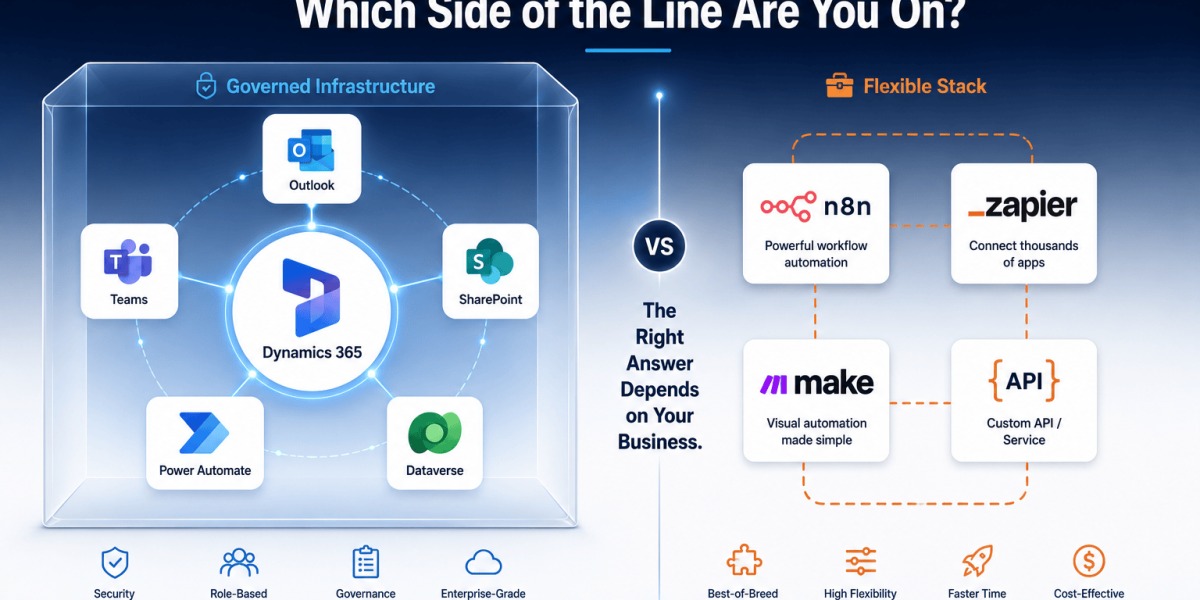
The self-hosting option is the headline advantage, but it is worth being specific about what that means in practice. A team at MageBytes runs client n8n deployments on managed cloud servers for clients who need their automation data to stay inside their own infrastructure. For a financial services firm, a healthcare company, or any organisation handling sensitive customer data, the ability to guarantee that workflow execution never touches a third-party server is not a nice-to-have. It is often a compliance requirement. Zapier and Make cannot offer this. n8n can.
The per-execution pricing model is the commercial argument. A 20-node workflow runs 10,000 times per month. On n8n cloud that costs $50. On Make at equivalent operations it is around $150 to $200. On Zapier at equivalent tasks it is $300 to $400 or more. Self-hosted n8n on a $25 per month VPS costs roughly $25 regardless of volume. The gap is not small and it widens as workflows grow more complex.
n8n has around 400 pre-built integrations, significantly fewer than Zapier or Make on paper. In practice, the HTTP Request node connects n8n to any service with a public API, and the community constantly contributes new nodes. The raw number understates the actual integration capability for any team comfortable working with APIs.
For full-stack development teams building AI-powered workflows, n8n is the only platform of the three where you can write JavaScript or Python directly inside workflow nodes. Error handling, data transformation, conditional logic, and API request construction all happen in code if you want them to. The ceiling for what you can build is defined by your engineering ability, not by the platform’s feature list.
Where n8n struggles:
- The learning curve is steeper. The node-based interface makes sense quickly to developers and feels unfamiliar to non-technical users.
- Self-hosting requires ongoing maintenance. Updates, server monitoring, and incident response sit with your team. There is no support line to call when something breaks at midnight unless you are on the enterprise cloud plan.
- Fewer pre-built connectors for niche SaaS tools. If your business runs on an obscure platform that has no public API, n8n offers no advantage here over Zapier.
- The documentation quality, while improving, does not yet match Zapier’s for breadth and clarity.
Best fit: Developer teams. High-volume workflows where per-task pricing would become significant. Regulated industries needing self-hosted infrastructure. Teams building AI agents with memory, multi-step reasoning, and complex tool orchestration.
The AI Layer in 2026: Not All Equal
All three platforms now connect to OpenAI, Anthropic, and Google Gemini. That is the easy part. The difference is in what you can build on top of those connections.
Zapier’s AI layer is the most accessible. Zapier Agents can act autonomously across 8,000+ apps based on a natural language instruction. Zapier Copilot builds workflows from a description. For a non-technical team that wants to add AI to their automation without touching code, this is the fastest path. The trade-off is the ceiling: you cannot build stateful agents with persistent memory and complex multi-step reasoning the same way you can in n8n.
Make’s AI Agents run inside the scenario canvas, which gives you visual debuggability you do not get elsewhere. You can watch an agent’s reasoning process in real time through the reasoning panel. Maia as an AI workflow builder is useful for getting a starting structure quickly. Make sits in a reasonable middle ground for AI features: more capable than the average non-technical user needs, less capable than what n8n offers a developer who wants full control.
n8n 2.0’s LangChain integration is the reason MageBytes builds multi-agent systems on n8n for clients who need serious AI workflow capability. Persistent agent memory means agents can retain context across sessions. Multi-agent orchestration means one agent can delegate to specialised sub-agents and receive results back. Custom code inside nodes means data can be manipulated, validated, and transformed in ways that no drag-and-drop interface could support. For AI agent work that goes beyond simple single-step automation, n8n is the only platform of the three with the right architecture.
Integrations: The Number That Misleads
Zapier’s 8,000 integrations is the number that appears in every comparison and it is genuinely Zapier’s strongest advantage. If you are running an unusual SaaS tool and need it connected quickly without touching a single API endpoint, the probability that Zapier already has a connector is high.
Make’s 2,000 integrations covers every mainstream business tool. For most companies, the list of apps they actually use is 15 to 20, and Make’s catalogue covers those without gaps. The HTTP module bridges anything with a public API for users comfortable constructing a request.
n8n’s 400 pre-built nodes is the number that looks worst but is also the most misleading. The HTTP Request node means n8n technically connects to anything with a public REST or GraphQL API. The real question is whether you want a pre-built connector with pre-mapped fields, which lowers the setup barrier, or whether you are comfortable building the connection yourself, which removes the integration count as a constraint entirely.
If your workflow involves a niche app with no public API, Zapier’s pre-built connector is probably the only way to connect it without custom development work. That specific scenario is the one where Zapier’s integration count genuinely matters and should influence the decision.
The Decision, Without the Noise
After reading a full comparison, most people want someone to tell them which one to pick. Here is the honest version of that.
Pick Zapier when:
- The team building and maintaining the automations is not technical
- You need a specific niche app connected and cannot find it anywhere else
- You are testing automation for the first time and want to move without a setup cost
- Workflow volume is low and a price increase later is acceptable
Pick Make when:
- Your workflows have real branching logic, filters, and multi-step data transformations
- You want better pricing than Zapier without the infrastructure responsibility of self-hosting
- Your team is comfortable with a visual flowchart but does not want to write code
- You need to build and manage scenarios for multiple clients with separate billing
Pick n8n when:
- You have developers who can own the system
- Volume is high enough that per-task or per-operation billing creates cost pressure
- Data residency or compliance requires keeping workflow data on your own infrastructure
- You are building AI agent workflows with persistent memory, multi-agent orchestration, or complex reasoning requirements
- Cost predictability matters more than convenience
One scenario worth calling out explicitly: if you are already on Zapier with dozens of active workflows, migrating to n8n or Make requires rebuilding each one manually. There is no automated migration tool. For a business with 40 active Zaps processing modest volumes, the migration cost in developer time may outweigh the savings over a 2 to 3 year horizon. Be honest about the migration effort before deciding to switch.
How This Fits Into a Larger Automation Strategy
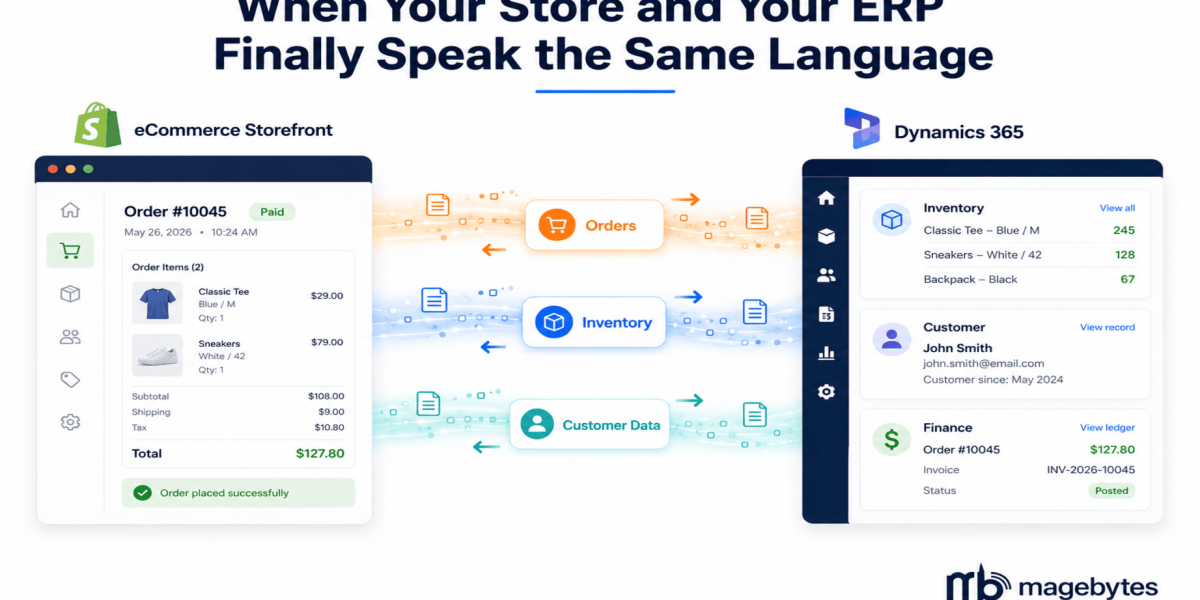
Workflow automation platforms are one layer of a complete automation architecture. For businesses connecting automation to a CRM, the choice of platform affects how well the workflow integrates with Salesforce CRM, Zoho CRM, or a custom ERP system. For ecommerce businesses, the automation stack has to connect reliably to order management, inventory, and the storefront platform.
The teams we see get the most out of these tools are the ones that matched the platform to their actual technical capacity rather than the feature list. A marketing team running on Zapier for three years with 60 reliable Zaps has done more useful automation than a startup that spent four months trying to get n8n self-hosted working and never fully shipped it. Platform choice only matters if the team can actually build and maintain what they deploy. If you want help assessing which approach fits your business and team, we can help you work through it.
Not Sure Which Platform Fits Your Team? MageBytes has built production automation systems on all three. We will tell you which one makes sense for your use case, team, and budget. Talk to the team.