7 Bottlenecks to Fix Now Before the Rush Finds Them for You
Think about the last time your favourite brand ran a flash sale. You clicked the link, the page took forever to load, you finally added something to cart and the checkout page timed out. What did you do You left. You probably never came back That brand did not lose you because of bad products or poor pricing. They lost you because their Magento store was not built to handle the moment their marketing team worked all year to create
Black Friday, Cyber Monday, Diwali, Republic Day sales these events are not just revenue opportunities. They are stress tests. And the stores that consistently win during peak season are the ones that identified and eliminated their performance bottlenecks months before the traffic arrived.
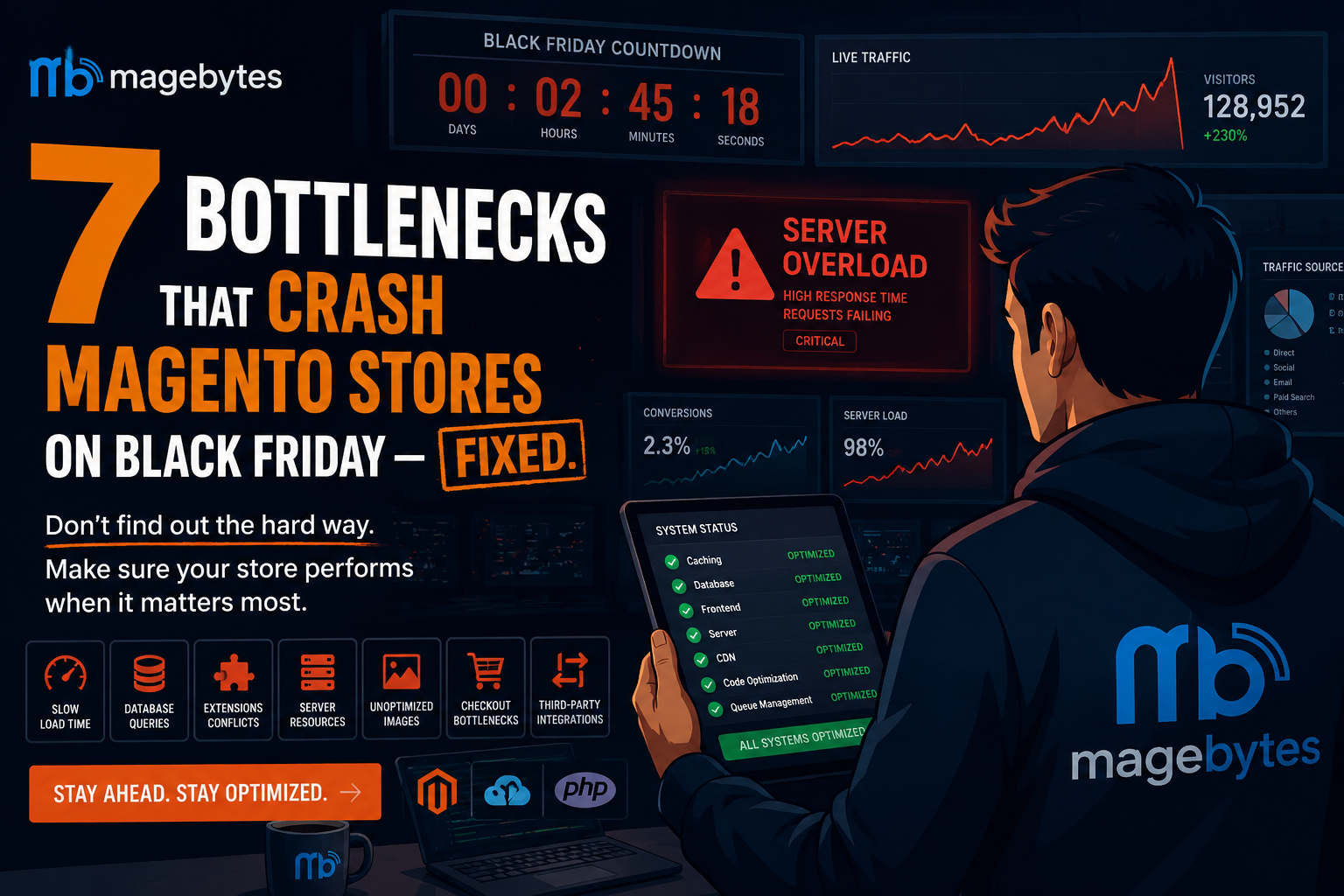
At MageBytes, working as a Magento development agency India businesses trust for their most demanding builds, we have seen the same set of seven bottlenecks crash stores year after year. They are not exotic or obscure problems. They are structural weaknesses that sit quietly in the codebase until 50,000 simultaneous visitors expose them.
This is your guide to finding them, understanding them, and fixing them right now, while you still have time.
| The 1M+ SKU BenchmarkMageBytes has engineered and deployed Adobe Commerce stores handling catalogues of over one million SKUs with zero downtime during peak sale events. The bottlenecks below are the exact issues our Certified Adobe Commerce developers have resolved to make that possible. Every fix in this guide is drawn from that real world experience. |
#1 Unoptimised Database Queries Under Concurrent Load
The database is the engine of every Magento store. On a quiet afternoon with 30 simultaneous users, slow queries go completely unnoticed. When Black Friday brings 3,000 concurrent users, those same queries stack up into a queue that locks tables, starves threads, and brings the entire site to its knees.
Magento runs on MySQL (or MariaDB), and its EAV (Entity-Attribute-Value) data model the way it stores product attributes, customer data, and orders is notoriously query-intensive. Every page load on a Magento store can generate hundreds of database queries. Most go to cache. But when cache misses happen at scale, the database becomes the bottleneck.
What to look for:
• Slow query log entries on category page loads, especially with layered navigation filters active
• N+1 query patterns in custom modules where a product loop fires one query per product
• Missing indexes on columns that are frequently used in WHERE clauses or ORDER BY
• Full-table scans on the catalog_product_flat tables during search requests
• Reindex operations not optimised for partial reindexing — full reindex during peak hours is fatal
How to fix it:
• Audit your slow query log — anything taking over 1 second under load is a candidate for refactoring
• Review and add database indexes on high-frequency query columns specific to your catalogue structure
• Separate read and write database operations using a master-slave (primary-replica) database setup
• Schedule catalog reindex operations to run incrementally in near-real-time, never as a full batch during sale hours
• Use Magento’s built-in Query Profiler during staging load tests to surface the worst offenders
| Real Impact:On a 1M+ SKU Adobe Commerce store, poorly structured category page queries with layered navigation active were generating 600+ database calls per page. After query refactoring and index optimisation, that dropped to under 80 calls a 7x improvement that directly translated to page response times dropping from 4.8 seconds to under 0.9 seconds at peak load. |
#2 Full Page Cache Misconfiguration or Gaps
Varnish Cache is one of the most powerful tools in the Magento performance stack when it is configured correctly. A properly configured Varnish setup can serve thousands of requests per second without the PHP application or database being touched at all. A misconfigured Varnish setup creates a false sense of security, where developers assume caching is working while the origin server silently absorbs every request.
The most damaging form of this problem is partial cache coverage where most pages are cached, but a handful of high-traffic pages (the homepage, the top two or three category pages, the bestseller PDPs) are excluded or have cache-busting parameters in their URLs that prevent them from being cached at all.
Common cache configuration failures:
• Varnish not configured as a reverse proxy in front of Nginx/Apache cache hits going to zero without warning
• Session cookies causing Varnish to bypass cache for every logged-out user a default Magento misconfiguration on many setups
• Full Page Cache (FPC) TTL set too low cache expiring every few minutes and flooding the backend during traffic spikes
• Cart section data requests (section load) incorrectly cached serving wrong cart states to customers
• ESI (Edge Side Includes) not configured for personalised blocks like recently viewed products or customer-specific pricing
• Redis used for FPC but with insufficient memory allocation cache eviction under load causing cache stampedes
How to fix it:
• Verify Varnish is correctly configured as the reverse proxy and serving HIT responses on your most-visited URLs check response headers
• Review your VCL (Varnish Configuration Language) file against Magento’s recommended configuration for your version
• Configure Redis for both session storage and FPC with appropriate memory limits and eviction policies
• Test cache hit rates under simulated load aim for a cache hit ratio above 90% on a warmed cache during peak simulation
• Separate Redis instances for session data and full page cache so session writes do not trigger cache eviction under load
#3 Unscalable Hosting Infrastructure
Shared hosting kills stores on Black Friday. Even managed cloud hosting, when not configured for auto-scaling, will hit its ceiling fast when traffic multiplies unexpectedly.
The infrastructure question for every Magento store before peak season is straightforward: if your traffic doubles in the next 60 seconds, does your infrastructure automatically provision additional capacity to absorb it or does it queue those requests until users start seeing 504 Gateway Timeout errors?
For Magento stores at scale, this means designing around auto-scaling AWS cloud architecture or equivalent cloud-native setups where the application tier, worker tier, and database tier can all expand independently based on real-time load signals.
Infrastructure checklist before Black Friday:
• Are your application servers (PHP-FPM workers) configured to auto-scale based on CPU and request queue depth?
• Is your database on a managed RDS instance with read replicas, or on the same server as your application?
• Are your Elasticsearch / OpenSearch nodes sized for peak catalog query load, not average load?
• Is your CDN correctly configured so static assets (JS, CSS, images) are never hitting your origin server?
• Is your Magento message queue (RabbitMQ or AWS SQS) scaled to handle peak order processing throughput?
• Have you run a load test that simulates your peak scenario and confirmed the infrastructure responds as expected?
| The Invisible Bottleneck: ElasticsearchMost Magento performance discussions focus on PHP and MySQL. But on large catalogues, Elasticsearch node saturation during simultaneous search requests is a common and under-diagnosed peak-traffic bottleneck. A properly scaled Elasticsearch cluster with replica shards can mean the difference between search working at 50,000 concurrent users and timing out at 8,000. |
#4 Bloated and Conflicting Third Party Extensions
The Magento marketplace is one of the most extensive in e-commerce. Over years of operation, most stores accumulate extensions for reviews, loyalty programmes, ERP sync, live chat, SMS notifications, custom pricing, A/B testing, and a dozen other functions. Each extension adds PHP execution time. Many of them hook into the same Magento events, causing conflicts that only surface under specific conditions conditions that happen to occur at high frequency during peak traffic.
The honest question every Magento store owner should ask before Q4: when did you last audit the extensions actually running on your store?
Signs your extension stack is a Black Friday risk:
• Page load time increases by more than 200ms between your development environment (few extensions active) and production
• Cache miss rates are high even after warming an extension is invalidating cache inappropriately
• Checkout errors that appear intermittently but are difficult to reproduce often a symptom of extension conflicts under concurrent load
• Extensions that have not been updated for the current Magento version running in compatibility mode
• Multiple extensions hooking into the same observer events (sales order place after, checkout submit all after) without priority management
What to do now:
• Generate a list of all active modules any extension that has not been actively used in the past six months is a candidate for disabling
• Run Magento’s built-in profiler in developer mode to measure the execution time contributed by each module
• Test your checkout flow with each non-essential extension temporarily disabled you may find significant speed improvements from removing unused features
• For extensions critical to your sale (promo engines, bundle pricing, gift cards), test them specifically under load in staging with Black Friday-level traffic scenarios
• Ensure all extension updates for your Magento version are applied and tested before Q4 preparation freeze
A note on Hyvä Theme: If you are running Magento with a traditional Luma-based theme, you are carrying significant frontend weight that directly impacts your Core Web Vitals. MageBytes has migrated multiple high-traffic stores to Hyvä, with consistent results of 40–60% improvement in frontend performance. If your Black Friday traffic is majority mobile, this is worth investigating now, not next year.
#5 Checkout Concurrency Failures and Inventory Race Conditions
The checkout page is where your revenue actually materialises. It is also, architecturally, the most complex and load-sensitive page in the entire Magento stack. Every checkout involves real-time stock checks, price rule evaluations, payment gateway calls, order record creation, inventory decrements, and email triggers all within a single transaction that must complete cleanly.
Under normal load, this works perfectly. Under Black Friday conditions where 800 users attempt to check out simultaneously, race conditions appear. Two customers purchase the last unit of the same product at the same second. An inventory decrement fails silently. A payment gateway call times out and the retry logic creates a duplicate order.
Checkout risks to test and resolve before peak season:
• Inventory race conditions on limited-stock SKUs test what happens when 50 users simultaneously add the last unit to cart and proceed to checkout
• Quote (cart) locking under concurrent modification Magento’s quote_id locking mechanism must be properly implemented
• Payment gateway timeout handling when your gateway takes 8 seconds to respond, what does the customer see Does the order get placed
• Double-order prevention does your checkout correctly prevent duplicate submissions from impatient users clicking the Place Order button twice
• Coupon code concurrency if 200 users apply the same single-use coupon code simultaneously, does your implementation correctly enforce the usage limit
• Guest checkout vs. logged in checkout load difference test both paths under identical load scenarios
Fixes that matter most:
• Implement database-level row locking (SELECT FOR UPDATE) on stock quantity decrements to eliminate race conditions
• Move payment gateway API calls to an asynchronous processing queue where possible to reduce checkout page response time
• Set checkout session timeouts that prevent dead carts from holding reserved stock indefinitely during sale peaks
• Implement a queue-based order placement system for flash sales where extreme concurrency is expected prevents thundering herd failures
| The ‘Oversell’ Problem and How to Prevent ItOverselling on Black Friday where your store accepts orders for more stock than physically exists is not just an operational headache. It damages customer trust in ways that take months to repair. The fix is a combination of database-level inventory locking, correct out-of-stock configuration, and tested stock reservation logic under concurrent load. This should be verified in staging before every major sale event. |
#6 Frontend Performance and Core Web Vitals Failures on Mobile
Backend infrastructure handles concurrency Frontend performance determines whether individual users stay or leave. Both matter equally, and the two failure modes are very different.
A store with excellent backend infrastructure but poor frontend performance will rank lower in Google search results (Core Web Vitals are a direct ranking signal), load slowly on mid-range Android devices, and convert at a fraction of its potential. On Black Friday, when your paid media spend is at its peak, a slow frontend means you are paying to send traffic to a store that frustrates people into leaving.
Frontend issues that need attention before Q4:
• LCP above 3 seconds: If your Largest Contentful Paint the main hero image or product banner takes over 3 seconds to render, you are losing mobile users before they see your sale offer. Preload your hero image explicitly in the HTML head and ensure it is served via CDN in next-gen format (WebP or AVIF).
• Render blocking JavaScript: Third-party scripts that block the main thread during initial page load payment gateway SDKs, marketing pixels, live chat initialisation should be deferred or loaded asynchronously. On a Magento storefront, RequireJS bundles configured incorrectly contribute significantly to this problem.
• CLS above 0.1: Layout shift caused by images without defined dimensions, banner ads that load after the content, or font swap during render confuses users and increases bounce rate during critical decision moments.
• Unoptimised product images: A 1.2MB JPEG product image on a mobile device on a 4G connection can account for more page load time than all the JavaScript on the page combined. Audit every image format, size, and CDN delivery configuration before sale season.
Mobile-first is not a design philosophy it is an infrastructure requirement:
Over 68% of e-commerce purchases in India are completed on mobile. If your Magento theme is not optimised for mobile particularly on mid-range Android devices with Chrome on a 4G connection you are building a store that technically exists but practically does not serve the majority of your customers well.
This is also where the decision to invest in a proper custom Shopify store design or migrate to a Hyvä-based Magento frontend becomes commercially justified. Performance is not cosmetic it is directly correlated to conversion rate.
#7 No Observability Flying Blind During Peak Traffic
This is perhaps the most dangerous bottleneck on the list because it is invisible. Every other bottleneck causes a visible, measurable symptom. This one causes you to not know about any of the symptoms until your customers are already experiencing them.
Flying blind on Black Friday no real-time performance monitoring, no error alerting, no traffic dashboard means that a degraded checkout, a slow category page, or a payment gateway timing out can affect thousands of customers before anyone on your team knows it is happening.
What observability your store must have before Black Friday:
• Real-time error monitoring: Tools like New Relic, Datadog, or Sentry should be configured to alert your team within 60 seconds of any PHP exception rate spike or 500-error threshold being crossed.
• Transaction performance tracking: You need to know in real time which pages are degrading if your checkout step 3 response time doubles, you want an alert before 500 customers abandon their carts, not in next week’s analytics review.
• Infrastructure health dashboards: CPU utilisation, memory consumption, database connection pool usage, Redis memory, Elasticsearch cluster health all visible on a single screen, with automated alerts when thresholds are crossed.
• Real User Monitoring (RUM): Synthetic tests tell you how your store performs in a lab. RUM tells you how it performs for real customers on real devices in real network conditions. Both are necessary during peak season.
• A defined incident response plan: Who on your team is notified when monitoring fires at 2am on Black Friday What is the escalation path Which actions can be taken without a developer being available? This playbook should exist on paper before the event, not be improvised during it.
Business Intelligence during the event: Beyond technical monitoring, connecting your Microsoft Power BI dashboards or equivalent BI layer to live order data lets your commercial team track revenue per hour against target, conversion rate trends, top-performing products, and coupon usage in real time. Decisions made with live data during a sale event to extend a promotion, restock a fast-moving product, or redirect ad spend are dramatically better than decisions made without it.
Quick Reference: The 7 Bottlenecks at a Glance
Use this table to prioritise your pre-Black Friday audit work. Critical items should be addressed immediately.
| Bottleneck | Peak-Season Impact | Lead Time to Fix | Priority |
| Database Query Issues | Site-wide slowdown, checkout failure, database lock | 4–8 weeks | Critical |
| FPC Misconfiguration | Origin server overload, 10x higher backend load | 2–4 weeks | Critical |
| Hosting Infrastructure | 503/504 errors, total site failure at traffic peak | 6–10 weeks | Critical |
| Extension Bloat / Conflicts | Intermittent errors, slow checkout, cache invalidation | 3–6 weeks | High |
| Checkout Concurrency | Overselling, duplicate orders, failed payments | 4–8 weeks | Critical |
| Frontend / Core Web Vitals | Low conversion, poor mobile UX, search ranking drop | 4–8 weeks | High |
| No Observability | Undetected failures affecting thousands of customers | 1–2 weeks | High |
The Bottom Line: Black Friday is Won in June
Every Magento store that has a great Black Friday did not get lucky. They prepared. Their development team ran load tests in July. They fixed the database queries in August. They validated their payment fallback logic in September. By October, all they had left to do was run the sale.
The stores that crash on Black Friday also had a plan. They were going to fix it next month. Next month turned into October, and October turned into 48 hours of revenue loss, emergency developer bills, and customer service tickets that took two weeks to clear.
As a software and e-commerce development company in India with over 12 years of experience building and scaling Magento, Shopify, BigCommerce, and WooCommerce storefronts, the team at MageBytes has worked alongside both kinds of businesses. The difference is always preparation specifically, preparation that starts in the summer, not the autumn.
Walk through the seven bottlenecks above. If any of them feel like a known risk in your store or if you are not sure whether they apply that uncertainty itself is the reason to act now.
Whether you are running a large Magento enterprise catalogue, a growing custom WooCommerce store setup, or evaluating a migration to a Shopify development company India solution for better frontend performance the audit process and the bottlenecks above apply to every platform. The names change. The pressure does not.
Is Your Magento Store Ready for Black Friday?
Don’t wait until October to find out what breaks Book a FREE Technical Audit with MageBytes our certified Adobe Commerce team will walk through every bottleneck in your store before it costs you.