A Pre Holiday Readiness Checklist Every Online Store Owner Needs
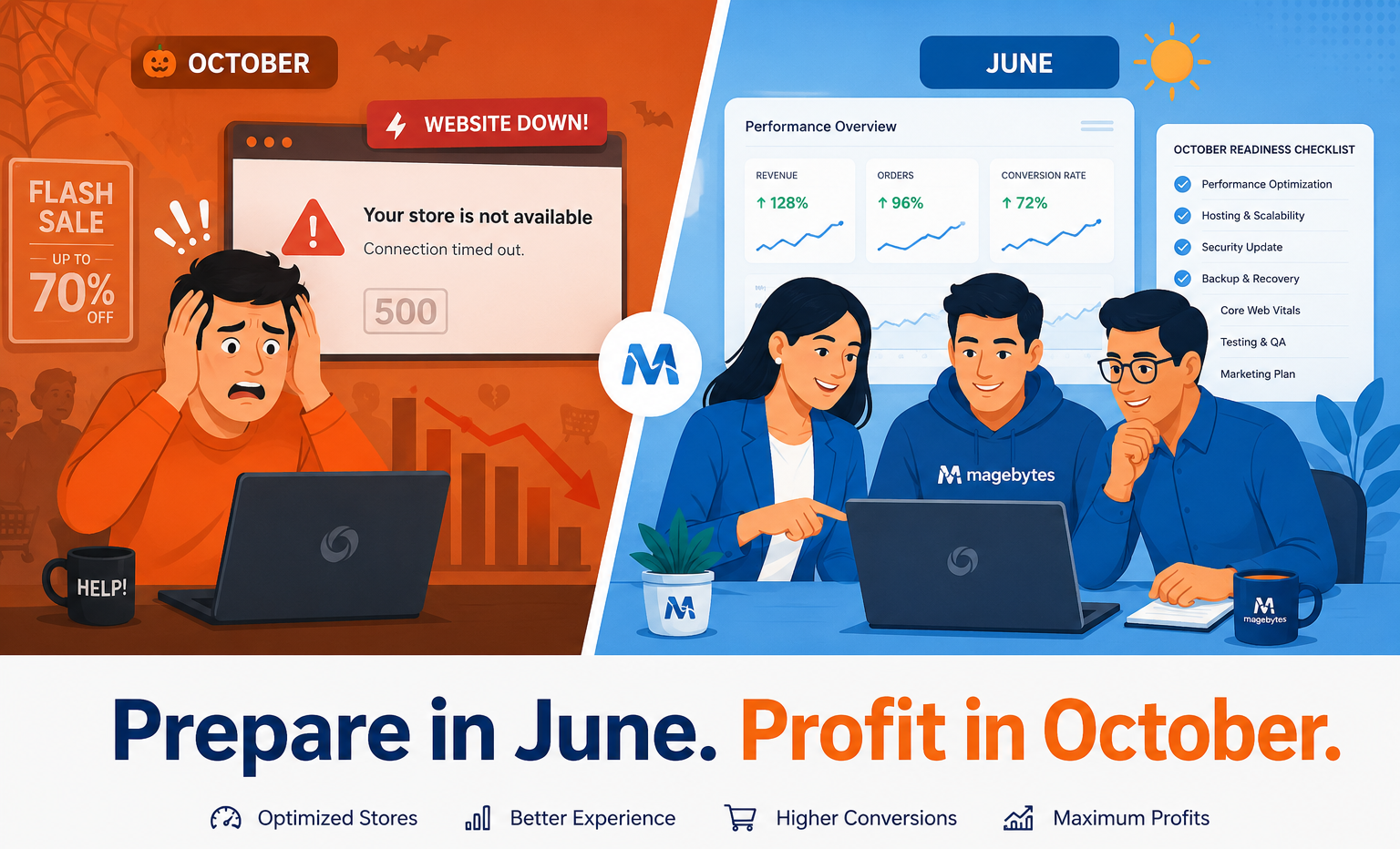
Every year, the same thing happens A brand running their Magento or Shopify store comfortably throughout the year hits October with confidence The team is busy The sales team is already planning festive promotions Then Diwali, Black Friday, and Cyber Monday arrive and the site slows to a crawl Checkout breaks under peak load The payment gateway throws errors Inventory counts are wrong Customer support is overwhelming The loss is not just revenue It is trust that took years to build The uncomfortable truth? Every single one of those failures is preventable but only if you start in June, not October.
This guide is your complete Pre-Holiday Store Readiness Checklist built for store owners and digital teams running Magento (Adobe Commerce), Shopify, BigCommerce, WooCommerce, or any modern e-commerce stack Walk through each step, and by the time Q4 arrives, your store will not just survive the rush it will dominate it.
| Why June? Not August, Not September? Most critical store improvements, infrastructure upgrades, platform migrations, payment integrations, and deep performance fixes need a minimum of 8–12 weeks of development, testing, and staging validation before you can safely deploy to production. Starting in August already puts you in a tight spot. Starting in October means you are patching live fire. June is the window where you still have full control |
Step 1: Run a Full Technical Performance Audit
Performance is not just about speed — it is about money. Research across major e-commerce platforms consistently shows that every additional second of load time causes a measurable drop in conversion rates. On a high traffic day, even a two second delay can wipe out lakhs in revenue.
Here is what your technical audit should cover:
1.1 Core Web Vitals — The Foundation
Google’s Core Web Vitals are the most reliable public benchmark for user facing performance. Before anything else, measure:
• LCP (Largest Contentful Paint): Should be under 2.5 seconds. If your hero image or product banner takes longer, it needs urgent attention.
• FID / INP (Interaction to Next Paint): Tracks how responsive your store feels when a user clicks, taps, or types. Anything above 200ms becomes a frustration point.
• CLS (Cumulative Layout Shift): Measures visual stability. Unexpected layout jumps during checkout are a conversion killer.
1.2 Page Speed Across All Critical Paths
Do not just test your homepage. The pages that matter most during peak traffic are:
• Category / collection pages — where discovery happens
• Product detail pages (PDPs) — where purchase decisions are made
• Cart and mini cart pages — where people commit
• Checkout flow (each step) — where money changes hands
• Order confirmation and account pages — where post sale experience lives
Run these tests both on desktop and mobile, and specifically on mid range Android devices on a 4G connection. That is the real world scenario for the majority of Indian e-commerce shoppers
1.3 Server Response Time and TTFB
Time to First Byte (TTFB) is the single biggest indicator of whether your hosting infrastructure can handle traffic spikes. If your TTFB exceeds 400ms on a normal day, it will balloon past 2 seconds when 500 users land simultaneously.
This is where decisions about auto-scaling AWS cloud architecture become critical. Whether you are on a managed cloud or a shared VPS, your hosting setup must be reviewed and stress tested before Q4.
1.4 Third Party Script Audit
Live chat widgets, marketing pixels, retargeting scripts, A/B testing tools, loyalty apps every third party script adds weight to your page load Audit every script running on your store, remove what is not essential for the holiday season, and defer or async load everything else
Step 2: Load Testing Know Your Breaking Point Before Customers Do
Load testing is the single most underused preparation tool in e-commerce. Most store owners find out their server’s limit only when a flash sale kills the site. That discovery costs revenue. Finding it in a controlled test costs nothing.
The goal of load testing is to simulate your peak Q4 traffic scenario and observe how your system responds — before it happens for real.
2.1 Define Your Peak Traffic Scenario
Before running any test, answer these questions:
• What was your highest single hour traffic during last year’s Diwali or festive sales?
• What is your realistic growth projection this year — 2x, 3x, 5x normal traffic?
• What is your planned promotion strategy (flash sale, limited time coupon, influencer campaign)
Your load test target should be 150% to 200% of your projected peak. You want to find the ceiling with room to spare.
2.2 What to Simulate in Your Load Test
• Concurrent browsing on category and product pages
• Add to cart actions at volume
• Simultaneous checkout starts (this is the highest stress point for most platforms)
• Coupon code application under load (a common Magento bottleneck)
• Order placement and payment gateway calls
Tools like Apache JMeter, k6, or Locust are commonly used for this purpose.Your development partner should run these tests in a staging environment that mirrors production infrastructure.
2.3 What to Watch During Testing
• Response time degradation as concurrent users increase
• Database query times and connection pool exhaustion
• Memory and CPU headroom on application servers
• CDN cache hit ratio — low cache hits mean your origin server absorbs all load
• Error rates — 500 errors or timeouts starting at what user count
| Industry Benchmark: A well optimized Magento store on proper cloud infrastructure should handle 500+ concurrent users with response times under 3 seconds. If your store drops below this threshold, infrastructure or code level improvements are needed before peak season. |
Step 3: Inventory Synchronization and Catalog Readiness
A slow website is frustrating. An inaccurate inventory is damaging to your brand. Selling products that are out of stock, showing wrong prices, or displaying unavailable variants during your biggest sale of the year creates a customer service nightmare.
3.1 ERP and Inventory System Sync
If your e-commerce store is connected to an ERP system whether that is Odoo ERP, SAP, or a custom inventory management platform — this integration must be audited for latency and reliability under peak conditions.
Common failure points include:
• Inventory sync delays causing overselling
• Failed API calls between the store and ERP under high transaction volume
• Quantity reservation logic breaking during flash sales
3.2 Product Catalog Completeness Check
Walk through your entire Q4 product catalog now. For every product that will feature in your holiday promotions, verify:
• All product images are high resolution and properly optimized (WebP format, compressed)
• Product descriptions, specifications, and meta titles are complete and accurate
• Pricing is correct, including any festive pricing rules or discount tiers
• Stock quantities are accurate and minimum stock alert thresholds are set
• Related products, cross sells, and upsells are configured correctly
• Variant combinations (size, color, bundle options) are all active and mapped correctly
3.3 PIM System Review
If your catalog runs through a Product Information Management (PIM) system, this is the time to validate that data flows correctly from PIM to your storefront. Missing product attributes, broken category mappings, or stale data from PIM can cause silent failures that are difficult to catch during peak traffic.
Step 4: Payment Gateway Redundancy — Never Rely on a Single Provider
Nothing kills a conversion faster than a failed payment. During high traffic periods, payment gateway outages are more common than most merchants expect. Razorpay, PayU, CCAvenue, Stripe, and PayPal all have documented incident histories during peak shopping seasons.
Your job is to ensure that when your primary payment provider has an issue, your store does not go dark.
4.1 Set Up Payment Fallback Logic
At minimum, your store should have two active, tested payment gateway integrations. Configure your checkout so that if Gateway A fails to respond within a defined timeout, Gateway B is automatically offered to the customer without requiring them to restart the checkout.
On Magento (Adobe Commerce), this can be implemented through custom payment method fallback logic or through checkout level error handling in the payment step On Shopify, you can use Shopify Payments plus an alternative third party gateway
4.2 Payment Gateway Load Testing
Include your payment gateway API calls in your load testing plan. Gateway latency under concurrent checkout conditions is one of the most common bottlenecks that is overlooked until Q4.
Check with your payment provider about:
• Your current transaction per minute (TPM) limit on the current plan
• Whether you need to pre notify them about expected peak traffic volumes
• Their SLA for uptime and incident response during festive periods
4.3 UPI, Wallets, and BNPL Coverage
Indian consumers increasingly use UPI, mobile wallets, and BNPL (Buy Now, Pay Later) options. If your store does not support the payment methods your target audience prefers, you are leaving a significant portion of potential orders unfulfilled.
Audit your payment method coverage across:
• UPI (Google Pay, PhonePe, Paytm)
• Credit and debit cards with 3D Secure
• Net banking across major banks
• Mobile wallets
• BNPL options (LazyPay, Simpl, ZestMoney / alternatives)
• International cards and PayPal for global customers
4.4 Checkout Flow Regression Testing
After any payment integration changes, run a full regression test of the checkout flow covering:
• Guest checkout from browse to order confirmation
• Logged in user checkout with saved address and payment
• Failed payment handling and retry flow
• Coupon application with payment
• Order email confirmation delivery
• Refund and cancellation flow
Step 5: CRM, Customer Support, and Automation Readiness
A well prepared store is not just infrastructure it is the entire customer experience layer. During Q4, your customer support volume will spike 3x to 5x. If your CRM and support workflows are not ready, the experience breaks even if the website stays up.
5.1 CRM Data Hygiene
Whether you are on Salesforce CRM, Zoho CRM, or a custom stack, your customer and order data must be clean and current before the holiday season begins. Deduplicate customer records, update email preferences, validate mobile numbers for SMS campaigns, and segment your customer base for targeted holiday communications.
5.2 Order Management and Post Purchase Automation
Set up and test automated workflows for:
• Order confirmation emails (trigger: order placed)
• Shipping notification emails with tracking link
• Delivery confirmation and review request
• Abandoned cart recovery sequence (at 1 hour, 24 hours, 72 hours)
• Out of stock waitlist notification
• Return and refund request acknowledgment
5.3 AI Workflow Automation for Support Tickets
During peak season, first response time is critical. Setting up AI driven workflow automation whether through n8n workflow automation or native support platform rules can auto categorize, auto tag, and auto route incoming support tickets so your team handles only what genuinely needs a human response
Step 6: Mobile Optimization and App Readiness
In India, over 70% of e-commerce traffic comes from mobile devices. A store that performs well on desktop but struggles on mobile is effectively broken for the majority of its users.
6.1 Mobile Performance Audit
Run your Core Web Vitals test specifically on mobile with simulated 3G and 4G network conditions. Pay particular attention to:
• Mobile navigation — is it intuitive and thumb friendly
• Product image loading speed on mobile
• Checkout form usability on small screens — is autofill working
• Payment method selection and UPI deep link behavior
6.2 Progressive Web App (PWA) and Mobile App Readiness
If your store runs on a PWA or has a companion mobile app, ensure the app build is tested against the latest OS versions for both Android and iOS. Any app store update submissions need lead time account for App Store and Play Store review cycles in your June planning timeline.
Step 7: Security Audit and Compliance Review
Q4 is also the peak season for fraudulent transactions, brute force attacks on admin panels, and scraping attacks. A security review done in June not in the middle of a live sale is the difference between a clean season and a breach incident.
7.1 Platform Security Patches
Ensure your Magento, Shopify, WooCommerce, or BigCommerce installation is on the latest stable release. On Magento specifically, security patches are released periodically and staying even one release behind can expose known vulnerabilities
7.2 SSL, PCI-DSS, and Data Handling
• Verify SSL certificate validity and renewal date — do not let it expire in October
• Confirm your checkout uses HTTPS end to end without mixed content warnings
• Review PCI DSS compliance requirements if you store any card data
• Audit admin access logs for unauthorized login attempts
• Enforce two factor authentication on all admin and developer accounts
• Review third party app permissions remove integrations that are no longer in use
7.3 Fraud Prevention Rules
Update your payment gateway’s fraud detection rules to account for higher order volumes. Overly strict rules during a festive sale can cause false positives and decline legitimate orders a common and costly problem.
The Q4 Pre-Holiday Store Audit Master Checklist
Use this checklist to track your readiness. Every unchecked item is a potential failure point during peak season.
| Audit Area | Action Required | Status |
| Performance Audit | Core Web Vitals, TTFB, page speed across all critical pages | |
| Load Testing | Simulate 200% of projected peak traffic, identify breaking point | |
| Inventory Sync | ERP/PIM integration tested, catalog completeness verified | |
| Payment Redundancy | Minimum 2 gateways active, fallback logic tested | |
| UPI & Wallet Coverage | All major Indian payment methods active and tested | |
| Checkout Regression | Full checkout flow tested end to end including fail scenarios | |
| Mobile Optimization | Mobile Core Web Vitals, checkout UX on real devices tested | |
| Security Patches | Platform on latest stable release, SSL valid, 2FA on admin | |
| CRM Data Hygiene | Duplicate records removed, segments updated | |
| Automation Workflows | Order, cart, and support automation live and tested | |
| CDN & Caching | Cache rules validated, CDN hit ratio above 85% | |
| Third Party Scripts | Non essential scripts removed or deferred | |
| App/PWA Update | Mobile app reviewed against latest OS, submitted to stores | |
| Fraud Rules | Payment gateway fraud settings reviewed for peak volumes |
Final Thoughts: The Cost of Waiting
There is a reason the best prepared e-commerce stores consistently outperform competitors during Q4 — and it has very little to do with marketing spend or discounting strategy. It comes down to preparation that started months earlier.
A technically sound, load tested, payment redundant, inventory accurate store does not just survive peak traffic. It converts it. Every rupee you invest in preparation in June returns multiplied in October, November, and December.
Whether you are running a Magento development agency India team’s custom build, a Shopify development company India storefront, or a WooCommerce store on WordPress, the checklist above applies to you.
The question is not whether your store needs this audit. It does.
The question is: will you do it now, in June, when you have time and control — or will you find out what needs fixing when 10,000 customers are simultaneously trying to check out?
Is Your Store Ready for the Q4 Rush?