If you sell on Magento or Adobe Commerce, you’ve probably heard the acronyms flying around
lately: SaaS, PaaS, App Builder, API Mesh. Adobe now gives merchants three ways to run Adobe
Commerce, as a fully managed Cloud Service (SaaS), on Adobe Commerce Cloud (PaaS), or on-
premises. Each one comes with a very different answer to the question every merchant eventually
asks: how much control do I actually want over my own platform?
At MageBytes, we work across all three deployment models with clients every week, so this isn’t a
theoretical comparison. It’s the same breakdown we walk merchants through before they commit to
a migration. Below is what genuinely changes when you move from the PaaS or on-premises world
most of us grew up with into Adobe’s newer SaaS model, and what it means if a migration is on
your roadmap.
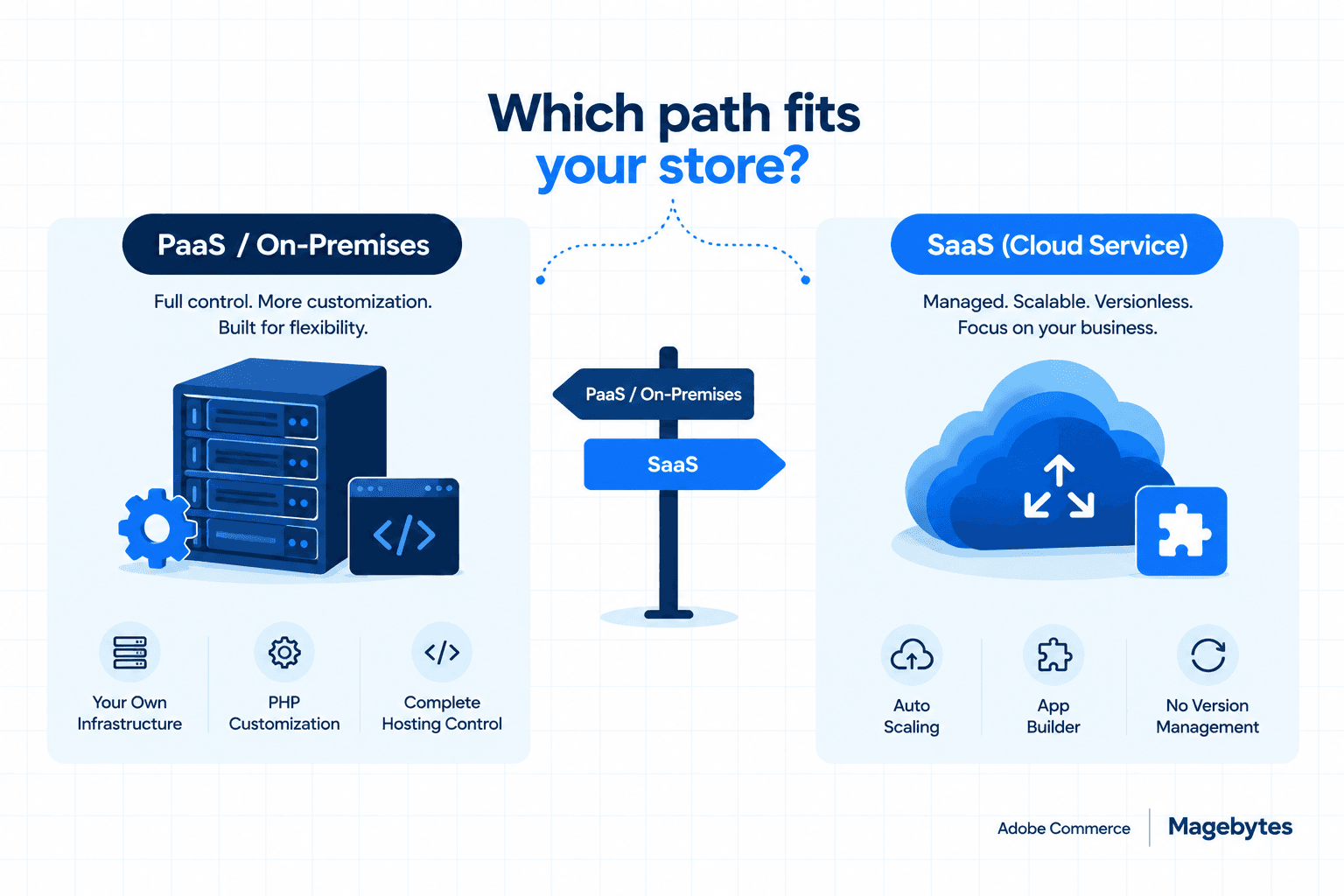
The short version: PaaS and on-premises Adobe Commerce give you full PHP-level
customization, your own infrastructure choices, and deep control over the codebase. The SaaS
model trades some of that flexibility for a fully managed, multi-tenant, auto-scaling platform where
Adobe handles upgrades, patching, and infrastructure on your behalf. Neither is universally better.
The right call depends on how much custom logic your business needs baked directly into the
platform versus how much you’re willing to move out-of-process
Store Management: What Gets Replaced
Moving to SaaS isn’t a like-for-like swap. A handful of familiar Admin tools get replaced with new,
purpose-built equivalents, and this is usually the first thing merchants notice once they start
scoping a migration.
- Digital asset management: Media Gallery is replaced by Product Visuals.
- Content management: The classic CMS, Page Builder, and URL rewrites give way to Storefront Builder.
- Merchandising: Content Staging and Visual Merchandiser are replaced by Catalog Service.
- Payments: Traditional payment integrations are consolidated into Payment Services.
- B2B: PaaS requires installing B2B capabilities separately. SaaS ships with core B2B features, company management and quoting among them, pre-installed, though industry-specific customizations may still need extra work.
- Experimentation: PaaS treats A/B testing as an add-on available on certain tiers. SaaS includes native experimentation out of the box.
If your store leans heavily on custom CMS layouts or Page Builder content, this is the area to scrutinize most closely before you migrate. Content that took years to build in Page Builder doesn’t move over automatically.
Platform and Extensibility: Where the Real Decision Gets Made
This is the section that actually decides which model is right for a given store. Everything above is a matter of learning new tools. This part is architectural, and it’s much harder to reverse once you’ve committed.
Hosting and scaling
PaaS / On-Premises: Single-tenant infrastructure across Azure, AWS, or GCP regions, with horizontal auto-scaling and vertical auto-scaling rolling out for the web tier.
SaaS (Cloud Service): Multi-tenant and cloud-native with full auto-scaling across the stack. Less infrastructure to manage day to day, but also less control over how it’s configured.
Upgrades
PaaS / On-Premises: Real release management: roughly six patches and one minor release a year that your team has to plan around.
SaaS (Cloud Service): Versionless. Adobe handles upgrades automatically, so there’s no patch calendar to maintain.
Extensibility model
PaaS / On-Premises: Supports both in-process PHP customization and out-of-process extensibility (APIs, events, App Builder).
SaaS (Cloud Service): Out-of-process only. Everything runs through App Builder, APIs, and events, with no direct PHP-level core customization. For merchants and extension developers used to writing custom modules, this is the headline change of the whole comparison.
APIs and data model
PaaS / On-Premises: Native REST and GraphQL extensibility with complete data model customization.
SaaS (Cloud Service): Relies on API Mesh with custom resolvers. You can extend core entities, including B2B entities, with custom attributes, but deeply industry-specific data models may need extra architectural planning up front.
Search, email, and storage
PaaS / On-Premises: Native search customization, full custom email templates, and flexible data storage across database, file, cache, and queue.
SaaS (Cloud Service): Currently requires third-party tools for advanced search customization, offers standard email templates only, and limits custom data storage to the App Builder state library. Database storage for App Builder is still in early access.
Marketplace
PaaS / On-Premises: Can use both the PHP-extension-based Magento Marketplace and the Exchange Marketplace for App Builder apps.
SaaS (Cloud Service): Exchange Marketplace (App Builder apps) only. If a store depends on a specific PHP extension, there may not be a direct path forward without an App Builder rebuild.
Compliance and reliability
PaaS / On-Premises: Covers SOC2, PCI, and ISO, and additionally supports HIPAA. SLA commitments run 99.99% infrastructure and 99.9% application uptime.
SaaS (Cloud Service): Covers SOC2, PCI, and ISO, and adds GDPR, but does not currently support HIPAA. Targets 99.9% uptime across the board, with faster recovery point and recovery time objectives.
What This Means If a Migration Is on Your Roadmap
None of this needs to be decided in the abstract. If SaaS is genuinely on the table for your store, a few practical steps make the evaluation far less painful:
- Audit your custom modules. Anything running in-process, meaning direct PHP customization, will need to be re-architected as an out-of-process App Builder app, API integration, or event listener.
- Map your extensions. Go through the Magento Marketplace extensions your store actually depends on and check whether App Builder equivalents exist yet, or whether that’s a gap you’d need to fill with custom work.
- Plan for data storage. If your store relies on custom database tables, queues, or caching layers, you’ll need to account for SaaS’s more limited storage options, or wait on the in-progress database storage support for App Builder.
- Rethink email and search customization, since SaaS currently leans on standard email templates and third-party search tools rather than native customization.
- Talk to a partner who has actually done it. This isn’t a checkbox migration. It’s an architectural decision that touches your extensions, your team’s workflow, and your product roadmap for years afterward.
A SaaS migration usually looks smaller from the outside than it turns out to be once you start mapping real extensions and real customizations against what App Builder can currently do. Scoping that gap early is what keeps the project on budget.
Our Take
For merchants who want a hands-off, always-current, auto-scaling platform, and who are comfortable rebuilding customizations as App Builder apps, SaaS is a genuinely compelling, lower-maintenance path. Less time spent on patch cycles and infrastructure, more time spent on the storefront itself.
For merchants with deep, industry-specific PHP customizations, heavy reliance on the PHP extension ecosystem, or strict compliance requirements like HIPAA, PaaS or on-premises Adobe Commerce still offers a level of control and flexibility that SaaS hasn’t fully replicated yet. If your store falls into that second group, moving too early can mean rebuilding functionality that already works fine where it is.
As always, the MageBytes team is here to help evaluate what a migration would actually mean for your specific store, extension by extension, module by module, before you commit to a direction.
Considering a move to Adobe Commerce as a Cloud Service, or want a second opinion before you commit to PaaS? Reach out for a technical audit through our Adobe Commerce Development Services, and we’ll map your current extensions and customizations against both deployment paths before you decide.
Adobe Commerce SaaS vs PaaS comparison, Adobe Experience League
Not Sure Which Adobe Commerce Path Fits Your Store? We’ll audit your current extensions, customizations, and compliance needs against SaaS, PaaS, and on-premises before you commit. Talk to the MageBytes team.