15 Ecommerce Conversion Problems (and How to Fix Them)
Unexpected costs show up at checkout
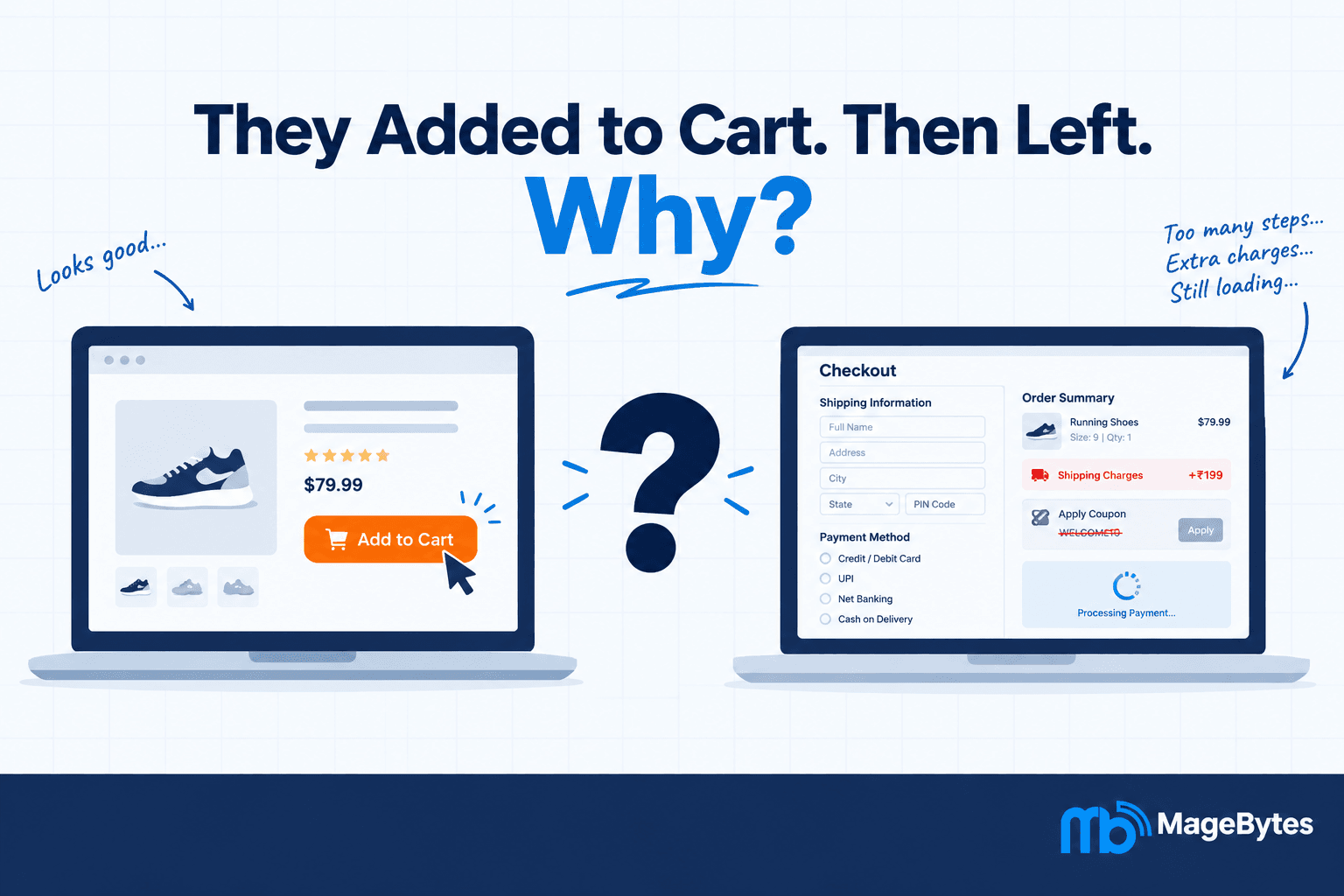
This is the biggest reason people abandon carts, and it isn’t close. A shopper sees ₹1,499 on the product page, then lands on a total of ₹1,848 after ₹199 shipping and ₹150 in taxes and fees.
The money isn’t really the issue. The surprise is. The same customer might happily pay ₹1,848 if they’d known from the start.
Fix: Show shipping and tax estimates on the cart page, or even the product page with a pincode checker. If you charge for Cash on Delivery, say so early.
2. The checkout is too long
Checkouts get heavier over time. Someone adds a field for analytics, someone else adds a second address confirmation, marketing squeezes in an opt-in. Nobody notices until the form has eleven fields.
Ask for billing and shipping separately? Most orders go to one address. Ask for a phone number you never use? Cut it. A one-page checkout, available on Magento through configuration or extensions and built into Shopify, makes the same information feel like less work.
3. You force people to create an account
A shopper clicks Proceed to Checkout and hits a wall: “Create an account to continue.” Some do it. A lot of them leave.
First-time buyers haven’t earned that effort from you yet. Offer guest checkout as the default, then invite them to save their details after the order is confirmed. They’re far more willing to sign up once the purchase is done.
4. The site is slow
Shoppers don’t care why your checkout is slow. It could be a heavy script, unoptimised images, a database query, or a cart page excluded from caching. They just see a spinner.
Checkout pages deserve their own performance work, because they’re often the slowest and least cached part of the store. On Magento especially, PHP execution time and payment gateway response time can quietly drag conversion down. Speeding up checkout is one of the better returns on a technical budget once you have steady traffic.
5. Mobile checkout is clumsy
In India, most ecommerce traffic comes from phones. A checkout that looks fine on a 27-inch monitor can fall apart on a 390px screen: tiny buttons, a keyboard covering the field you’re typing in, a payment page that scrolls sideways.
Test on a real mid-range Android phone over 4G, not just Chrome’s device simulator. The simulator won’t show you the keyboard problems. If you’re on Magento, a Hyvä-based build clears up many of the mobile issues that older Luma themes pick up over the years.
6. Payment options are limited
If a customer wants to pay by UPI and you only take cards, they won’t switch. They’ll leave.
For Indian stores, the usual list is UPI, cards, net banking, wallets, COD where it makes operational sense, EMI, and buy now pay later for bigger baskets. Gateways like Razorpay and PayU cover most of these, but enabling a method at the gateway isn’t the same as testing it end to end in your checkout.
7. Payments fail and nobody explains why
The customer picked their method, entered their details, clicked Pay, and got a vague error. Or nothing at all. They don’t know if they were charged.
A failed payment doesn’t have to mean a lost customer. “Your bank declined this transaction, please try another card or UPI” gets a retry. “Something went wrong” gets a closed tab and a support ticket. The same goes for OTPs: if the code doesn’t arrive, give a resend button with a timer and another way to verify.
Also watch your gateway logs separately from your store logs. A gateway timing out on 3 percent of peak-hour orders won’t show up as an error in your own system.
8. There isn’t enough trust
A new customer is deciding, in about ten seconds, whether to hand you their card details. HTTPS is the baseline. A visible return policy, working contact details and recognisable payment logos do the real work.
Don’t bury the page in fourteen security badges. It looks like you’re overcompensating. In our experience, a visible WhatsApp number or phone line reassures a hesitant first-time buyer more than any seal.
9. Delivery information is vague
“Shipping available” doesn’t help someone who needs a gift by Saturday and is ordering on Thursday night. They want a date.
Show an estimated delivery date based on their pincode, attach dates to shipping speeds (“Arrives Thursday” beats “Express, 2 to 3 days”), and say whether COD is available at that location.
10. The coupon box sends people hunting
This one is sneaky. A shopper reaches checkout, sees a big “Enter coupon code” field, and doesn’t have one. So they open a new tab and search for a code. They land on a deals site, get distracted, and never come back.
You started that trip by putting the field front and centre. Collapse it behind a small link, and show live promotions in the cart so customers don’t have to go looking.
11. The cart doesn’t stick
Someone adds three items on their phone during the commute and opens the store on a laptop that evening. The cart is empty.
Logged-in users usually keep their carts. Guests often don’t, because the cart lives in a session or cookie. On Magento and Adobe Commerce, quote lifetime and session settings decide how long a guest cart survives, and merging carts on login helps with cross-device shopping.
12. The return policy is hard to find
Buying clothes, electronics, or anything where fit or compatibility is uncertain? The silent question is always “what if this doesn’t work out?” If the answer isn’t near the Add to Cart button or in the checkout footer, some shoppers just walk away. You’ll never see them search for it. They simply don’t buy.
Skip the 1,500-word legal page. One clear sentence works: “30-day returns, no questions asked.”
13. The product page left questions unanswered
Sometimes the checkout is fine and the problem started earlier. The customer added the item, but they’re still wondering about size, material, compatibility or warranty. They go back to the product page, can’t find the answer, and check a competitor.
Compare your most-abandoned products with the questions your support team gets about them. The overlap usually shows exactly which product pages need work.
14. There’s nobody to ask
Imagine a customer about to spend ₹40,000 on a laptop with one question, and no chat, no WhatsApp link, no visible phone number. Some will guess. Many will leave.
You don’t need a 24/7 call centre. A chat widget or WhatsApp button at checkout is enough to give high-intent buyers the confidence to finish. For expensive items it’s a conversion tool, not just a service feature.
15. Stock errors appear at the last step
The customer fills in their address, picks a payment method, clicks Place Order, and gets: “This item is no longer available in the selected quantity.”
It’s the most avoidable problem on this list and one of the most damaging. It usually comes from a store and warehouse that aren’t talking in real time. A nightly batch sync can’t keep up with a busy day, so ERP and ecommerce integration that syncs inventory near real time is worth the effort. It also fixes the opposite problem, where the store shows out of stock while the shelf is full.
How to find out which problem is yours
You don’t have all fifteen at full strength, and fixing them all at once is a good way to waste a quarter. Start by finding where people actually drop off.
Set up a five-stage funnel: product view, add to cart, begin checkout, enter payment, order completed. Then look at where the biggest gap sits.
- Big drop from add to cart to begin checkout: look at cart-level issues like surprise costs, forced accounts, coupon hunting, vague delivery, or trust.
- Big drop from begin checkout to payment: look at form length, mobile usability, page speed, and confusing flow.
- Big drop from payment to completed order: look at limited payment methods, gateway errors, OTP trouble, and session timeouts.
Three tools give you most of the data:
- Google Analytics 4. It tracks view_item, add_to_cart, begin_checkout, add_payment_info and purchase. This only works if the events fire correctly. On Magento, the MageBytes GA4 extension with GTM handles that setup.
- Microsoft Clarity or Hotjar. Session recordings show rage clicks, dead taps and where people stall. Watching fifty mobile checkout sessions will teach you more than a spreadsheet.
- Your payment gateway dashboard. Declines, timeouts and error codes live here, and they never appear in your store analytics.
A note for Magento and Adobe Commerce stores
Default Magento checkout has more steps than the one-page flows on Shopify, so the setup choices you make early on matter a lot for your checkout conversion rate. If you’re working with a Magento development company, these are the areas worth reviewing:
- One-step checkout or Hyvä checkout for speed and mobile
- Individual testing of every payment method, not just the gateway connection
- Guest cart persistence and quote lifetime settings
- Real-time inventory sync with your ERP
- Correct GA4 event tracking, so you’re not optimising blind
- Checkout error monitoring for API failures, session issues and inventory conflicts
Checkout abandonment checklist
☐ Shipping and tax visible before the last step
☐ COD charges shown early
☐ Guest checkout available
☐ Four steps or fewer
☐ Checkout loads in under 3 seconds on mobile
☐ Tested on real Android and iOS devices
☐ UPI and other local payment methods offered
☐ Payment errors are specific and give next steps
☐ Return policy visible at checkout
☐ Delivery date shown at cart stage
☐ Coupon field is low-key when no promo is running
☐ Guest carts last at least a week
☐ Support contact visible at checkout
☐ Product pages answer size, compatibility and warranty questions
☐ Inventory synced in near real time
☐ GA4 checkout funnel events verified
☐ Session recording running on checkout
☐ Gateway errors monitored separately
Every unchecked box is a place where money is quietly leaving. Pick the biggest drop in your funnel, fix that first, and measure again.
Want a second pair of eyes? MageBytes audits checkout problems on Magento, Shopify, WooCommerce and BigCommerce stores and fixes the specific issues costing you orders. Get a checkout audit.