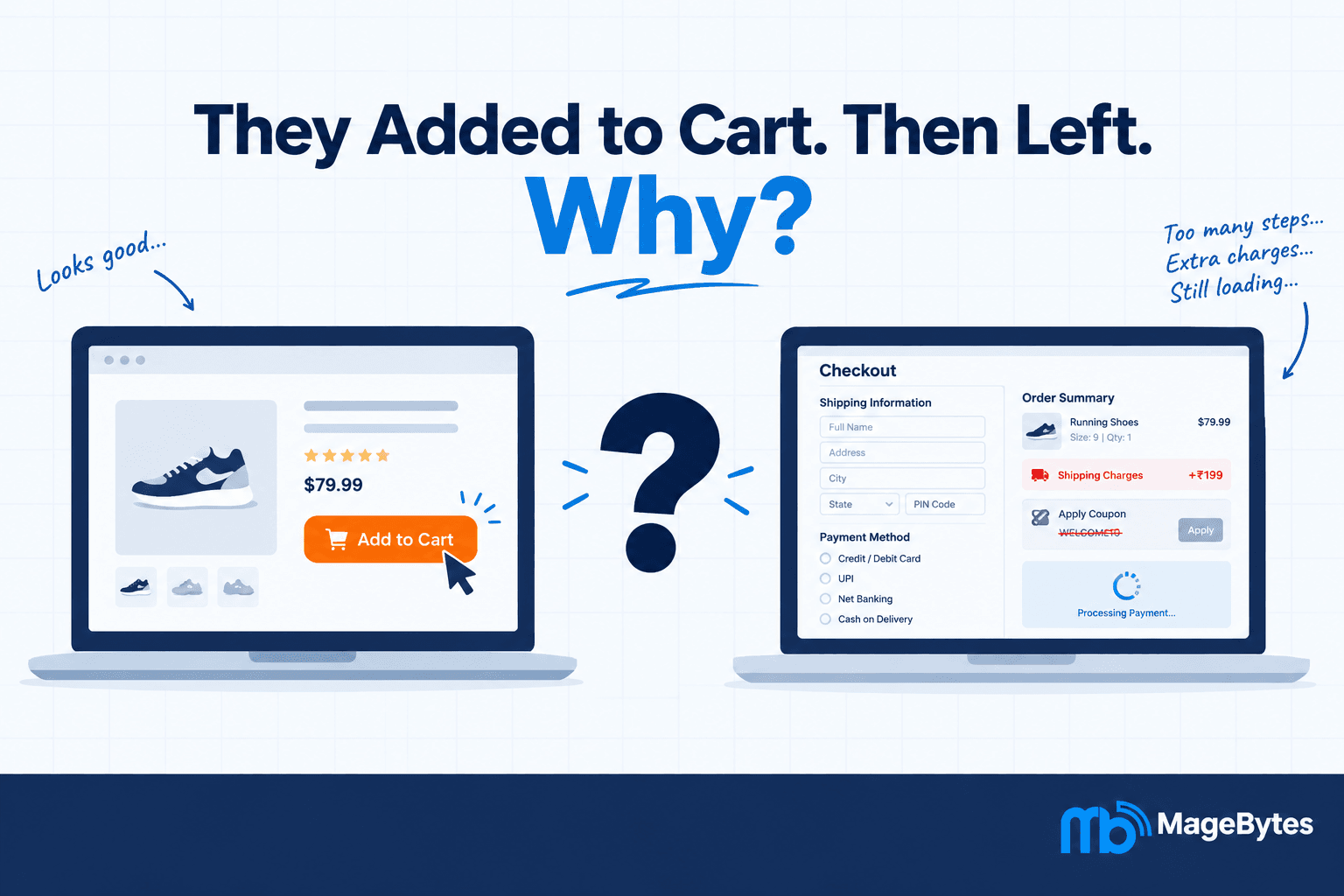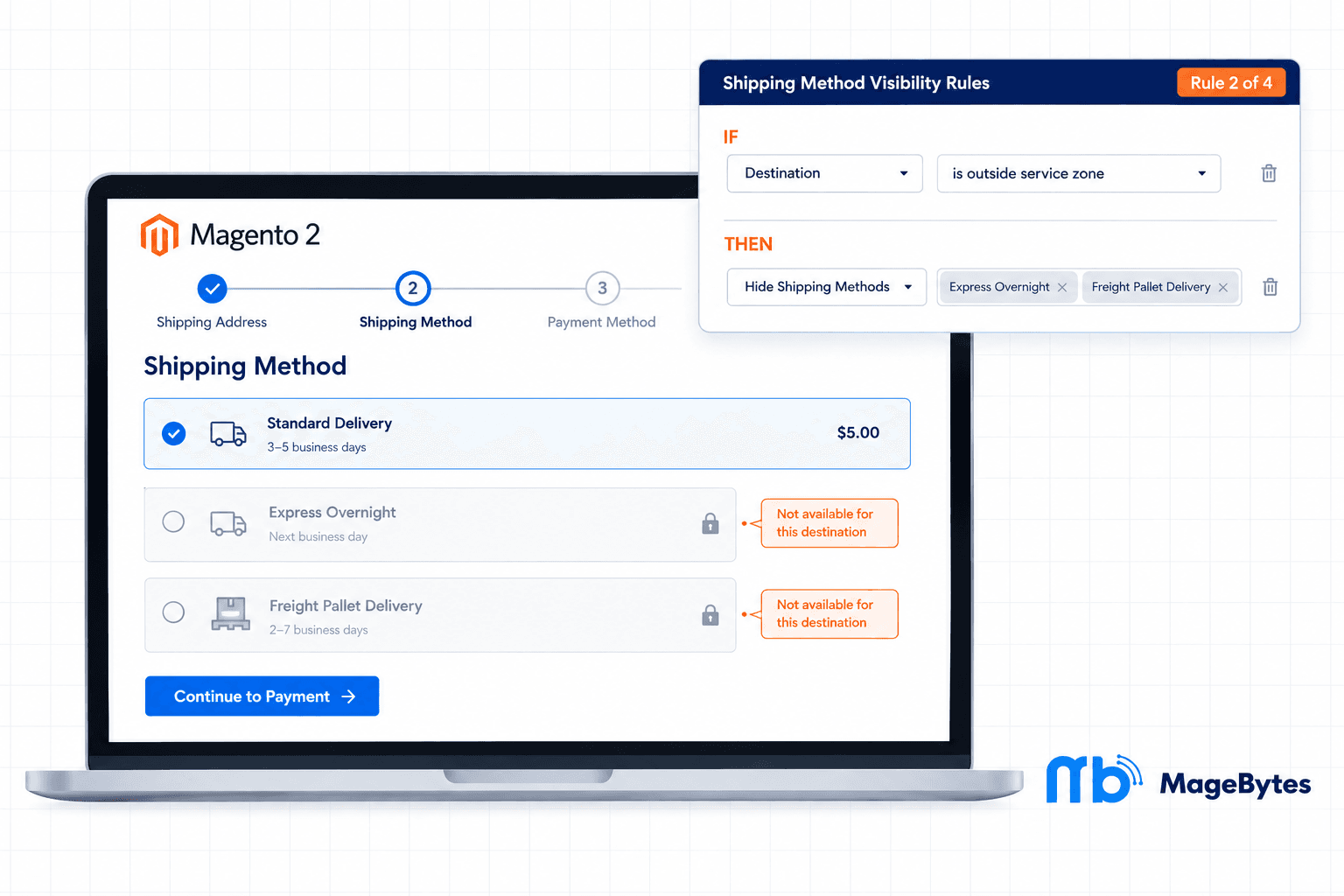
Every store owner who ships internationally has run into this at some point. A customer in a country you can’t actually reach with your fastest carrier picks the express option anyway, because nothing on the checkout page told them not to. The order gets placed, someone on your team catches it a few hours later, and now you’re writing an apologetic email and issuing a partial refund on shipping.
Or the reverse happens. A heavy pallet order somehow qualifies for a flat rate courier service that was only ever meant for small parcels, and now you’re covering the difference out of your own margin because the checkout let it through.
Magento gives you a way to turn shipping methods on or off, and a handful of carriers let you set weight or destination limits inside their own settings. But there’s no real rule engine sitting between your cart and your shipping methods that says, for this customer, in this situation, with this cart, only show these options. That gap is what the Shipping Restriction extension for Magento 2 was built to close.
We put together this walkthrough of the Shipping Restriction extension for merchants who are tired of manually policing which shipping methods show up at checkout, or who’ve had a support ticket land in their inbox because a customer picked a shipping option that was never going to work for their order.
Where Default Magento Shipping Configuration Falls Short
Out of the box, Magento lets you enable or disable a shipping method for the whole store. Some carrier integrations add their own rules on top, like weight caps or a list of supported countries. That covers the basics, but real stores run into situations those settings were never designed for.
A courier that only makes sense under a certain weight
Say your express courier is priced for parcels under ten kilograms. Above that, you’d rather route the order through a freight partner instead. Native Magento doesn’t know the difference. It will happily let a forty kilogram order go out through the express carrier at a price that doesn’t come close to covering the actual cost.
Shipping methods that don’t reach every country you sell to
You might offer next day delivery domestically and a slower international option for everyone else. If your checkout still shows next day delivery to a customer in another country, they’ll select it, because why wouldn’t they. The order confusion that follows costs your support team time that could be spent on something else.
B2B accounts that need different shipping terms than retail customers
Wholesale or trade accounts often ship on completely different terms than retail customers, sometimes freight, sometimes a negotiated carrier, sometimes a pickup option that regular customers shouldn’t even see. Magento B2B stores that serve both audiences from one storefront need a way to keep those shipping options separated by customer group, and there’s no native setting that does this cleanly.
Products that carry their own shipping requirements
Certain SKUs, oversized furniture, fragile items, anything regulated, might only be shippable through specific carriers. A generic store wide shipping configuration has no concept of product level shipping rules, so this usually turns into a manual review step somewhere in your fulfillment process instead of being handled automatically at checkout.
None of these examples are rare edge cases. They’re just what happens once a store grows past a single product line, a single region, or a single type of customer. Shipping method availability turns into a business rule the moment your store gets any kind of complexity, and a simple on or off switch can’t keep up with that.
How the Shipping Restriction Extension Actually Works
The extension adds a rules section to Magento Admin where you build conditions using the same interface Magento already gives you for Cart Price Rules. If you’ve ever set up a percentage discount or a free shipping promotion in Magento, this will feel familiar within a few minutes. There’s nothing new to learn beyond dragging conditions into place.
Each rule you create checks the cart, the customer, and the order details against whatever conditions you set, and then either hides specific shipping methods or narrows the checkout down to only the methods you’ve approved. The evaluation happens on the fly for every checkout session, so there’s no batch process or delay involved.
Two actions, and that’s really all you need
Hide The Selected Methods: the shipping methods you pick disappear from checkout when the rule matches, and everything else stays available.
Show Only The Selected Methods: the opposite approach. Only the methods you’ve chosen appear, and every other enabled method gets filtered out for that customer.
What you can build rules around
The condition builder covers the situations merchants actually run into:
- Cart subtotal so you can hide a method above or below a set order value.
- Cart weight for the freight versus courier decision mentioned earlier.
- Item count if your fulfillment process changes depending on how many units are in the order.
- Destination country, region, or postcode the most commonly used condition by far, and the one that solves the international shipping confusion problem outright.
- Customer group so wholesale, trade, or loyalty tiers can see shipping options that retail customers never encounter.
- SKU, category, or product attributes for products that need a specific carrier regardless of what else is in the cart.
- Nested combinations meaning you can stack conditions with AND or OR logic, so a rule can target something as specific as heavy orders shipping outside a particular region for customers outside a particular group.
Every rule can also be scoped to a specific website, which matters if you’re running more than one storefront out of the same Magento instance and don’t want a restriction meant for one site accidentally applying to another.
Scheduling, Rule Priority, and Messaging
Shipping restrictions aren’t always permanent. Maybe a carrier is temporarily unavailable in one region because of a seasonal capacity issue, or you’re running a short promotion where express shipping is available for a limited window. Instead of remembering to switch a rule on and off manually, you can set a From Date and a To Date, and the rule handles itself.
When you have more than one rule active at the same time, Sort Order decides which one gets evaluated first. And if a higher priority rule matches and you don’t want anything below it to override that decision, the Stop Further Rules Processing flag takes care of it. This is the same pattern Magento already uses for Cart Price Rules, so if you’ve configured promotions before, the logic here won’t feel unfamiliar.
One detail that tends to matter more than people expect: each rule supports a customer facing message. If Express Overnight disappears because the destination is out of range, you can show a short note explaining why instead of leaving the customer wondering where their usual shipping option went. That small bit of context tends to cut down on confused support tickets.
Rule changes take effect immediately, without needing to clear the Magento cache. The only time a cache flush is required is if you change something in the extension’s global configuration under Stores, Configuration, such as the site wide enable or disable switch.
A Few Technical Details Worth Knowing
Rules apply everywhere, not just the storefront cart page
A lot of shipping restriction tools only filter methods on the storefront checkout page, which leaves a gap if orders are placed through the Magento Admin, through REST shipping estimate calls, or through GraphQL on a headless frontend. This extension applies the same rules across all of those paths, so an admin creating an order on behalf of a B2B customer sees the same restricted shipping list that customer would see on their own.
The shipping method list stays current on its own
The rule builder only shows methods from carriers that are currently active. If you disable a carrier in your shipping configuration, it simply won’t show up as an option inside the rule form anymore. There’s no separate list to maintain or clean up after you change your carrier setup.
One master switch for the whole thing
There’s a single Enable Shipping Restrictions setting at the store level that works independently from each rule’s own Active flag. If you ever need to troubleshoot a shipping issue and want every restriction rule paused at once without deleting or disabling them individually, that switch does exactly that.
Built for guest and logged in customers alike
Rules apply the same way whether the person checking out has an account or not, based on whatever conditions and customer groups you’ve configured. Guest checkout doesn’t create a blind spot in the restriction logic.
Who Actually Gets Value From This Extension
Stores shipping internationally
If your fastest or cheapest shipping option only realistically works for certain countries, restricting it by destination removes the guesswork for customers and the cleanup work for your team.
Freight and heavy goods sellers
Furniture, appliances, industrial equipment, anything where weight or dimensions change how an order needs to ship. Weight based rules keep courier services reserved for the orders they were actually priced for.
B2B and wholesale operations
Trade accounts frequently ship differently than retail customers. The customer group condition means you can offer freight, pickup, or negotiated carrier options only to the accounts that qualify, which is one of the more common requests we get from Magento B2B stores.
Agencies managing several client stores
For an agency handling multiple Magento or Adobe Commerce sites, the per website rule scoping keeps configurations from bleeding into each other, which matters once you’re managing more than a handful of storefronts at once.
Pricing and Compatibility
The Shipping Restriction extension for Magento 2 is priced at $99 for Community Edition and $149 for Enterprise or Magento Cloud editions. Every license comes with twelve months of free updates, direct engineer support, and a 30 day money back guarantee if it doesn’t end up being the right fit.
It’s tested and supported on Adobe Commerce, Magento Open Source, Hyvä Theme, and PWA Studio builds, covering versions 2.4 through 2.4.9. Installation follows normal Magento module conventions with no core files overwritten, and all configuration happens through the Sales menu inside Magento Admin.
If your store sells to more than one country, serves more than one type of customer, or ships anything heavier than a standard parcel, there’s a good chance your checkout is currently showing shipping options it shouldn’t. This extension is the fix that doesn’t require a custom development project to get there.
Common Questions About Shipping Restriction
Can I hide a shipping method for just one customer group?
Yes. Rules can be built around customer group, so retail and wholesale customers can see completely different shipping options without any extra configuration outside the rule builder.
Does this work for guest checkout too?
It does. Restrictions apply the same way for guest carts and logged in customer carts, based on whatever conditions and groups you’ve set.
Do I need to flush the cache after changing a rule?
No, rule changes apply right away. A cache flush is only needed if you change the extension’s global settings under Stores, Configuration.
Will this show up correctly on a headless or GraphQL storefront?
Yes. The same restriction logic runs across the storefront checkout, REST shipping estimate calls, GraphQL requests, and Magento Admin order creation, so headless frontends get the same filtered results.
What happens if two rules conflict with each other?
Sort Order determines which rule gets evaluated first, and the Stop Further Rules Processing flag can be used to prevent lower priority rules from overriding a match. It works the same way Cart Price Rule priority does.
If you want to talk through how this would apply to your specific catalog or carrier setup, reach out to the MageBytes team. You can also take a look at the rest of the MageBytes extension library, including the Payment Restriction extension if payment method visibility is on your list too.
Stop Guessing Which Shipping Methods Should Be Visible. Build rules by weight, destination, customer group, or product, and let the checkout handle the rest. Community $99 | Enterprise $149. Get Shipping Restriction for Magento 2.